Lumin logo
  • Lumin Products
    • AgreementGen

      Your agreement drafting sidekick

    • Lumin Sign

      Simple and secure digital signing

    • Lumin PDF

      Edit, collaborate, and share PDFs

    • Lumin AI

      Supercharge your docs

    Download Apps
    API and Integrations
    • eSign API

      Seamless eSignature integration

    • Integrations

      Streamline your workflow with ease

  • AgreementGen

    • AI agreement generator

    • AI agreement editor

    • NDA generator

    • Lease agreement generator

    • Employment contract creator

    • Terms and conditions generator

    • Operating agreement generator

    • Non-compete agreement generator

    • Business plan generator

    Lumin Sign

    • Sign PDF

    Lumin PDF

    • Edit PDF

    • Edit PDF text

    • Collaboration

    • Create fillable PDF

    • Merge PDF

    • Unlock PDF

    • Integrate Google

    All tools
  • By use cases

    Streamline efficiency

    Use the cloud to reduce the burden of countless tools

    Build relationships

    Collaborate and negotiate with a few clicks

    Secure with confidence

    Comply and stay with global security standards

    Onboard from anywhere

    Automate contract admin to seal deals faster

    Accelerate collaboration

    Make teamwork seamless with a centralized suite of tools

    Work on site

    Fast-track fieldwork with offline mode for mobile

  • Discover

      Blog

      News and views on collaborative workflows

      Template Discovery

      Find, fill and sign 5,000+ free online forms

      Customer Stories

      Discover companies creating more impact with less admin

    Support

      Lumin 101

      New here?
      Learn the basics

      Help Center

      Your complete manual to Lumin and Lumin Sign

  • Enterprise
  • Pricing
  • Request a demo
Try for freeSign in
Request a demo
Sign in
Try for free

Choose your plan

Lumin WorkspaceLumin Agreements

Gives you access to

Lumin PDF
AgreementGen
Lumin Templates
Lumin AI

Free

For casual users trying out Lumin

$0 USD

$0 USD

logo
Get started
Free includes:
  • Basic PDF editing
  • Basic eSignatures
  • Annotate up to 3 docs
  • Mobile & desktop apps

Pro

For sole-traders and freelancers

$19 USD

per month per team

$19 USD

per month per team

logo
Try for freePurchase now
Everything on Free, plus:
  • 200 docs per month, team-wide
  • Advanced PDF editing
  • Document collaboration
  • 5 agreements per month
Most popular

Business

For busy teams & cross-company collaboration

$99 USD

per month per team

$99 USD

per month per team

logo
Try for freePurchase now
Everything on Pro, plus:
  • 200 docs per month team wide
  • Member access control
  • Secure your workspace with domain control
  • Enforce sign-in with Google
  • Connectors: Slack, Drive, OneDrive and more
  • Priority customer support

Enterprise

For organizations with advanced security & compliance needs

Get a solution tailored to your needs

Get a solution tailored to your needs

logo
Contact sales
Everything on Business, plus:
  • Control storage options
  • Single workspace for your domain
  • Enterprise SSO integration
  • Microsoft integration
  • Premium onboarding
  • Tailored pricing
  • Dedicated customer success manager

Trusted by over 0M professionals worldwide

costco logo
spotify logo
salesforce logo
pinterest logo
knightFrank logo
paypal logo
uber logo
costco logo
spotify logo
salesforce logo
pinterest logo
knightFrank logo
paypal logo
uber logo
costco logo
spotify logo
salesforce logo
pinterest logo
knightFrank logo
paypal logo
uber logo
Introducing Lumin AI

Transform work with Lumin AILumin AI Sparkles

Scalable AI designed to enhance the speed and precision of your workflows across all our products.

Find out more
Lumin AI Introduction
Lumin PDF Starter Plan

Starter Plan - The student essential

Just $9 per month for the tools you need to tackle assignments and research without breaking your budget
10 docs per month
Retain document access
Integrate with Google
Digitally sign PDFs
Try for freePurchase now
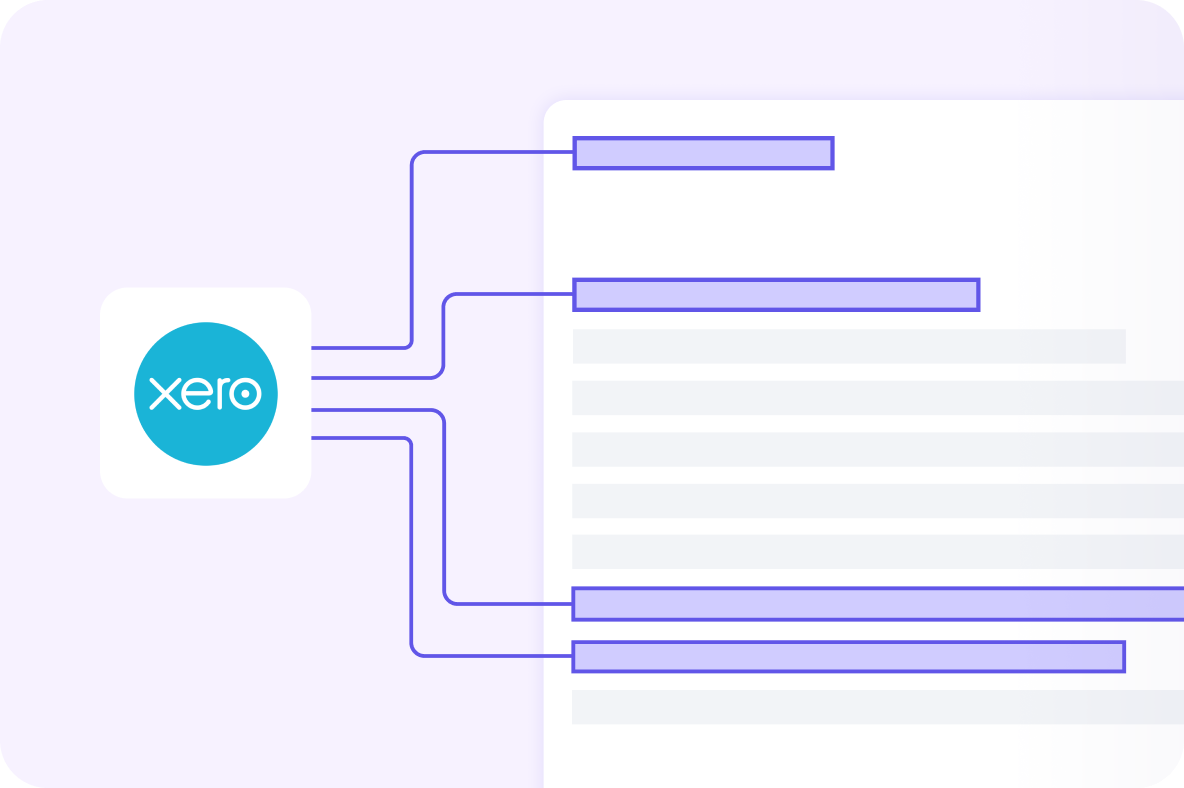
Xero Integration

6 months of Xero free with Pro

Connect Lumin to Xero and let your documents flow straight into your accounts.

  • Sync invoices, quotes, and signed agreements instantly to Xero
  • Eliminate manual entry and reduce costly errors
  • Get paid faster with accurate, automated records

Claim offer

Free

Get started

starter

Try for free

pro

Try for free

business

Try for free

enterprise

Contact sales
Price per month$0Starts at $9/monthStarts at $19/monthStarts at $99/monthContact us
Document stack
A document is completed once you share, download, print or sync it.
3 docs/month10 docs/month200 docs/month200 docs/monthContact us
Tools
Add text boxes
Create text boxes anywhere to personalize your content or fill in forms.
Add shapes
Insert shapes anywhere to illustrate your ideas.
Add images
Insert images to explain the content.
Freehand drawing
Draw anywhere to customize your implications.
Highlight text
Mark key phrases and reference points using our digital highlighter tool.
Sign documents
eSign in just a few clicks. Create your unique eSignature and approve contracts or documents with ease.
iOS, Android & desktop apps
Use Lumin on your mobile, computer and tablets
Rearrange and delete pages
Put your pages in order for better organization
Template discovery
Find, fill and sign 5,000+ free online forms and templates
Merge pages
Put PDFs together
Edit PDF text
If your document isn’t exactly what you want, simply edit the raw text directly in your PDF.
Split and extract pages
Take PDFs apart, or pull out single pages
Restore original file
Restore original version of documents.
Add fillable fields
Create fillable fields and check boxes, then securely send or share with your customers.
Redaction
Easily conceal sensitive content from your documents with our redaction tool.
Search scanned text
Make scanned PDFs readable and searchable.
Document collaboration
Real time editing
Multiple teammates can make edits at the same time
Commenting and tagging
Makes notes on files and alert teammates to them
Document sharing
Give anyone view or edit access to your files
Team insights
Monitor your team’s productivity and usage of key features from the insights tab.
Document storage
Autosync with Google Drive
Sync your changes back to the original document in Google Drive
Retain document access
Retain access to your edited documents in Lumin for more than 1 year
Storage controls
Enforce document storage to one platform such as Google Drive
Security & compliance
Account data encryption
Your data and documents are encrypted for optimal security.
GDPR, CCPA & Google Security Assessment
Comprehensive and current security compliance
Premium security controls
Administrators can prompt members to sign-in via Google.
Single sign on (SSO)
Single sign on available for Google
Enterprise SSO
Customized single sign on based on your requirements
Audit logs
Review all activity on any document anytime
Support
Basic support and help center resources
Access to our Help Center and international support team
Priority support
Receive priority support from our customer success team
Customer success contact
Personalized one-on-one onboarding and priority support from an assigned customer success manager.
Non profit banner

Lumin for non-profits

We offer discounts for non-profit organisations. We believe good software should be accessible to everyone.

Talk to sales

Frequently asked questions

  • Do I have to pay to use Lumin?

    +
    No – we have a free plan with all the PDF editing basics. If you’re just looking to edit a couple of PDFs, this is a great option.

    If you want more than the basics, our paid plans offer modern tools at a competitive price. We offer free 7 day trials of all our plans. Cancel your free trial any time within those 7 days using the admin settings in Lumin.
  • How many people can I collaborate with?

    +
    You can add as many people as you like to your Workspace, and collaborate on as many documents as you like within it.

    If you share a document with someone outside your Workspace it will count as completed – but only once! You can go back-and-forth with that person as many times as you like without it counting toward your doc limit again (within a 1-month period).
  • Which plan is right for me?

    +
    You could choose a plan based on how many documents you think you’ll use each month, or based on a specific tool. For example, if you expect to complete between 10 and 30 docs per month, a Starter plan looks right for you. If you want to redact information, a Business plan might be better.

    Our friendly sales team is always on hand to give advice and walk you through the products.
  • What is a doc stack?

    +
    This is the number of documents you can complete each month. You complete a document by sharing, printing, syncing or downloading it. If you reach the limit, we’ll automatically add another block of documents to your stack. Don’t worry, admins can turn auto-renew off in your billing settings.

    Click your profile icon (top right of your screen) and the drop-down menu will show your doc stack usage to date.
  • Can I use Lumin while offline?

    +
    Yes! While Lumin is designed for the cloud, we know sometimes work happens from the ground. Just switch on “offline mode” and continue editing your document. When you next connect to the internet, your edits will be saved. Learn more here.
  • Can I edit PDFs with Lumin?

    +
    Yes! That’s what we do best. You can add text or images, draw or highlight on pages, edit PDF text directly and much more. You can even use our Page Tools to edit the structure of PDFs: split, merge, extract and rearrange pages any way you like.

Lumin tools

Lumin PDF

Lumin PDF

  • Organize
    Merge PDF
    Merge PDF
    Split PDF
    Split PDF
    Delete PDF page
    Delete PDF page
    Compress PDF
    Compress PDF
    Rotate PDF
    Rotate PDF
    Organize PDF
    Organize PDF
    Extract PDF
    Extract PDF
    AI PDF
    AI PDF summarizer
    AI PDF summarizer
    Chat with PDF
    Chat with PDF
    Scan
    PDF OCR
    PDF OCR
    Scan PDF
    Scan PDF
  • Edit & annotate
    Edit PDF
    Edit PDF
    Crop PDF
    Crop PDF
    Annotate PDF
    Annotate PDF
    Edit PDF text
    Edit PDF text
    Create fillable PDF
    Create fillable PDF
    PDF reader
    PDF reader
    Redact PDF
    Redact PDF
    More
    Unlock PDF
    Unlock PDF
    Flatten PDF
    Flatten PDF
    Protect PDF
    Protect PDF
  • Convert to PDF
    PDF converter
    PDF converter
    JPG to PDF
    JPG to PDF
    PPT to PDF
    PPT to PDF
    Word to PDF
    Word to PDF
    Excel to PDF
    Excel to PDF
    PNG to PDF
    PNG to PDF
    Convert from PDF
    PDF to PNG
    PDF to PNG
    PDF to JPG
    PDF to JPG
    PDF to Word
    PDF to Word
    PDF to PPT
    PDF to PPT
    PDF to Excel
    PDF to Excel
AgreementGen

AgreementGen

  • AI agreement generator
    AI agreement generator
    AI agreement editor
    AI agreement editor
    NDA generator
    NDA generator
    Lease agreement generator
    Lease agreement generator
    Employment contract creator
    Employment contract creator
    Terms and conditions generator
    Terms and conditions generator
    Operating agreement generator
    Operating agreement generator
    Non-compete agreement generator
    Non-compete agreement generator
    Business plan generator
    Business plan generator
Lumin Sign

Lumin Sign

  • Sign PDF
    Sign PDF
  • Product

    • Lumin
    • Lumin Sign
    • AgreementGen
    • eSign API
    • Features
    • Plans & Pricing
    • Google Workspace
      Lumin for Slack
      Lumin for Chrome
      Lumin for Claude
      See all
  • Solutions

    • Streamline efficiency
    • Onboard from anywhere
    • Accelerate collaboration
    • Build relationships
    • Secure with confidence
    • Work on site
  • Learn & Discover

    • Help Center
    • Blog
    • Lumin 101
    • Customer Stories
    • Templates
    • Template categories
    • Template collections
  • Company

    • Who we are
    • Our mission
    • Careers
    • Become a partner
  • Security

    • Compliance & features
    • Personal data
    • Privacy policy
    • Terms of use
    • Status
    • Bug bounty program
  • Download

    • iOS & Android
    • Mac & Windows

    Contact

    • Support
    • Sales
    • Request a Demo
  • Contact

    • Support
    • Sales
    • Request a Demo
Google Cloud Partner

© 2014–2026 Lumin PDF Corporation | San Francisco, United States | All rights reserved

English
  • English
  • Español
  • Tiếng Việt
  • Português
  • Français