Create a fillable PDF
Make a PDF into a fillable form online in seconds. Drop your PDF file below and add fillable text boxes. Easily create a fillable PDF online for free.or drop your first file here
You're in good company
How to create a fillable PDF
Follow these simple steps to create a fillable PDF.
- 1
Upload
Drop a PDF file into the dropzone above or click the 'Upload' button.
- 2
Click ‘Fill & Sign’
Sign-in and select ‘Fill & Sign’ in the left navigation bar of the editor.
- 3
Add a text field
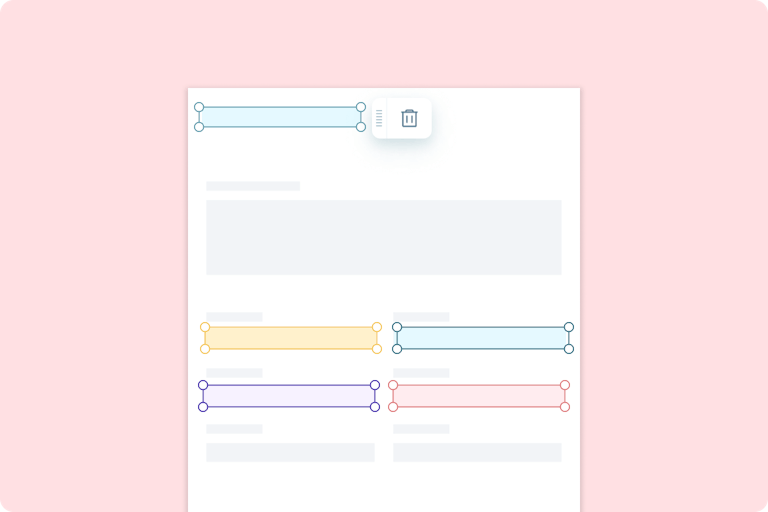
From here click ‘Form Builder’ and add a text field to your document.
Powerful features to work smarter with PDFs
From creating fillable forms to real-time collaboration, Lumin gives you the features you need to edit, sign, and share documents securely.
Create fillable PDFs in seconds
Turn any document into an interactive PDF. Add fields for text, dates, checkboxes, and more with just a few clicks. Transform static files into dynamic forms that speed up data collection and remove manual paperwork.
Edit, annotate, and highlight with ease
Make direct edits without extra software. Highlight details, insert notes, or adjust text as you would in a word processor. Update your documents quickly using simple, intuitive tools.
Google Drive integration
Work directly with Google Drive. Import, edit, and save your PDFs without leaving your workspace. Access your forms from anywhere and share them instantly with your team.
Secure and compliant
Protect your documents with enterprise-grade encryption. Every change, edit, and signature is secured to meet compliance standards, keeping sensitive data safe throughout the workflow.
Real-time collaboration
Work with your team on the same document simultaneously. Share edits, comments, and updates instantly across devices. See changes as they happen and skip endless email threads.
Sign your PDFs instantly
Complete documents faster by signing directly within Lumin. You can add your signature or initials without printing or scanning. This allows you to finalize agreements, forms, and contracts quickly and professionally.
Do more than add fillable fields
PDF editing made easy
Easily edit PDF text
No more workarounds. Use our Edit PDF text feature to directly make updates to your PDF content.
Sign documents online
Ditch the printer and eSign your PDF in seconds. Add safe and secure signatures and initials to any PDF for free.
Split, extract and rotate PDF pages
Put your PDFs in order with Lumin’s Page Tools: split, crop, add, delete or rotate PDFs in seconds.
Google-integrated PDF editor
Cut time and tools by consolidating your online PDF editing process. Open documents directly into Lumin from Google Drive, Gmail or Classroom, edit them, then sync them back to your Google Drive storage.
Template Discovery
Go from discovery to done with our library of forms and templates. We’ve got what you need to tackle any task: tax forms, contract templates, health and safety checklists, onboarding forms and much more.
Browse all templatesTrusted by more than 100 million customers
More impact, less admin. Create fillable PDFs online free.
Featured articles

Article
• Apr 12, 2023
Lumin vs Adobe
We get it, you just want to edit a PDF. How different can two PDF editors be? You’d be surprised.
Read more Lumin vs Adobe
Article
• Jan 8, 2025
How to create a fillable PDF
Fillable fields can supercharge your organization. Learn how to master fillable fields – also known as fillable forms – and stay at the top of your game.
Read more How to create a fillable PDF
Culture
• Dec 2, 2024
Celebrating 100 million users
From a lightbulb moment in a Stanford dorm to 100 million users, Lumin’s journey is all about innovation, growth, and a little bit of fun along the way. Get a peek behind the scenes of how it all came together!
Read more Celebrating 100 million users
Frequently asked questions
What is a fillable PDF?
A fillable PDF is a digital document that allows people to type directly into it instead of writing by hand. These forms can include text boxes, checkboxes, dropdown menus, and signature fields.
They are especially useful for applications, contracts, surveys, and any documents that require clear and professional data collection.Is Lumin free to use?
Lots of our tools are free. You can draw on PDFs, comment on them, add text, signatures and images; all the basics are covered.
Our paid plans expand your toolkit: you can edit PDF text, redact information, create fillable fields and much more. Discover our plans to learn which one is the right fit for you.How do I eSign a fillable PDF?
To eSign a fillable PDF, open your document in Lumin PDF and select the Sign Securely option, which will redirect you to Lumin Sign.
From there, you can choose how to sign by drawing your signature, typing it in, or uploading an image of your handwritten one. The process is simple, legally binding, and secure, and it works directly in your browser.How do I use Lumin?
The Lumin app works on your browser, or you can download our desktop app and keep Lumin handy on your computer. We’ve also got a mobile and tablet app which includes Lumin’s most popular features.
How do I create a fillable PDF online?
Creating a fillable PDF is simple. Upload your PDF, add form fields where you want users to enter information, customize field properties, and save your interactive form.
How do I make specific parts of my PDF fillable?
To create fillable PDF fields:
1. Upload your document
2. Click where you want to add a field
3. Choose the field type
4. Add field labels and instructions
5. Test your form
Will recipients need special software to fill out the form?
No. When you create a fillable PDF with our PDF editor, recipients can complete it using any standard PDF reader or browser. They don't need special software or to create an account.
How does integration with Google Drive work?
Lumin integrates seamlessly with Google Drive, making it easy to work on your files. You can open any PDF stored in Drive, edit it with Lumin, and save the updated version back into the same folder. This keeps your documents organized and easy to share with your team, as long as you connect your Lumin account with Google Drive.
Discover our products
Lumin
An easy-to-use PDF editor that stands alone or integrates with Google Workspace.
Lumin Sign
A digital signature workflow tool that seals deals with legally-compliant signatures.
Lumin Sign API
An eSignature API made to be plugged into your platform with minimal effort.