Lumin logo
  • Lumin Products
    • AgreementGen

      Your agreement drafting sidekick

    • Lumin Sign

      Simple and secure digital signing

    • Lumin PDF

      Edit, collaborate, and share PDFs

    • Lumin AI

      Supercharge your docs

    Download Apps
    API and Integrations
    • eSign API

      Seamless eSignature integration

    • Integrations

      Streamline your workflow with ease

  • AgreementGen

    • AI agreement generator

    • AI agreement editor

    • NDA generator

    • Lease agreement generator

    • Employment contract creator

    • Terms and conditions generator

    • Operating agreement generator

    • Non-compete agreement generator

    • Business plan generator

    Lumin Sign

    • Sign PDF

    Lumin PDF

    • Edit PDF

    • Edit PDF text

    • Collaboration

    • Create fillable PDF

    • Merge PDF

    • Unlock PDF

    • Integrate Google

    All tools
  • By use cases

    Streamline efficiency

    Use the cloud to reduce the burden of countless tools

    Build relationships

    Collaborate and negotiate with a few clicks

    Secure with confidence

    Comply and stay with global security standards

    Onboard from anywhere

    Automate contract admin to seal deals faster

    Accelerate collaboration

    Make teamwork seamless with a centralized suite of tools

    Work on site

    Fast-track fieldwork with offline mode for mobile

  • Discover

      Blog

      News and views on collaborative workflows

      Template Discovery

      Find, fill and sign 5,000+ free online forms

      Customer Stories

      Discover companies creating more impact with less admin

    Support

      Lumin 101

      New here?
      Learn the basics

      Help Center

      Your complete manual to Lumin and Lumin Sign

  • Enterprise
  • Pricing
  • Request a demo
Try for freeSign in
Request a demo
Sign in
Try for free

Chat with Your PDF

Turn any PDF into an instant conversation. Upload your file, ask questions, and get clear answers or summaries in seconds — all free, no sign-up required.

One moment...

or drop your first file here

You're in good company

costco logo
spotify logo
salesforce logo
pinterest logo
knightFrank logo
paypal logo
uber logo
costco logo
spotify logo
salesforce logo
pinterest logo
knightFrank logo
paypal logo
uber logo
costco logo
spotify logo
salesforce logo
pinterest logo
knightFrank logo
paypal logo
uber logo

How to chat with a PDF

Follow these steps to start interacting with your document.

  • 1

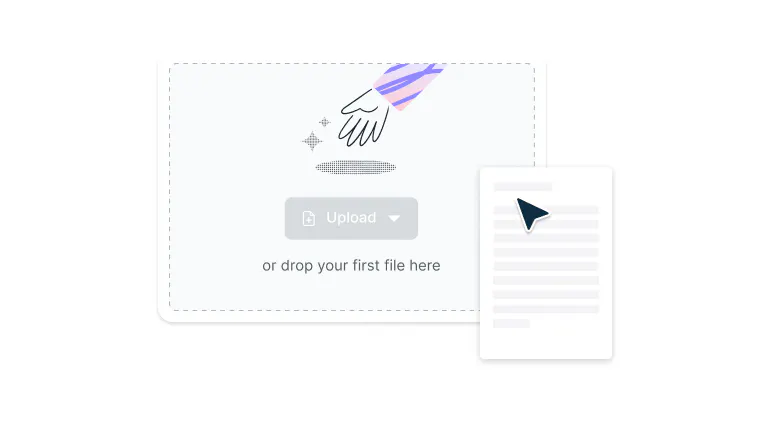
    Upload

    Drag and drop your PDF file into the drop zone above or click ‘Upload’ to add your file.
  • 2

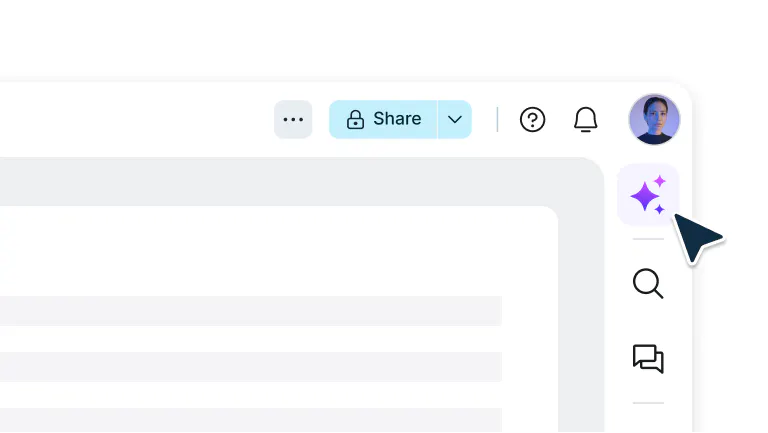
    Open Chat Mode

    Sign in and select ‘AI assistant’’ from the top navigation bar in the editor.
  • 3

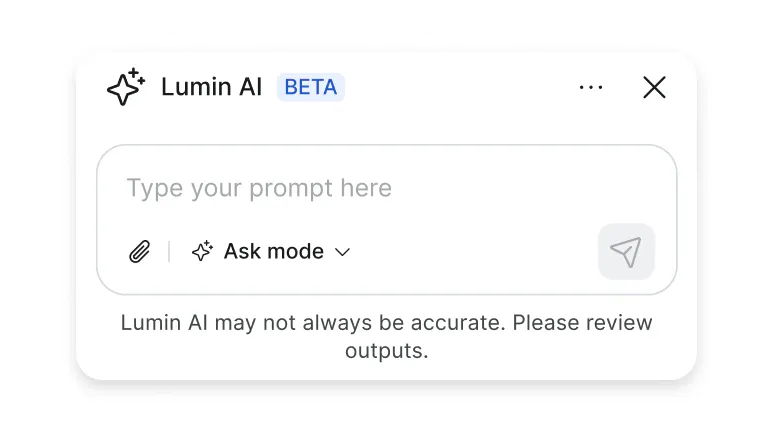
    Type your questions

    Type your questions, and AI will instantly provide answers from your PDF content.
Smart, interactive PDF conversations

Get clear answers from your documents in seconds. Perfect for reports, research, or contracts.

  • Get instant answers

    Ask questions and get quick, intelligent responses from your PDFs. Summarize reports, extract insights, or clarify details, all powered by AI that understands your document’s content.

  • Choose your chat mode

    Use ‘Ask’ mode to explore and learn more about the contents of your document, or ‘Agent’ mode to edit and organize your PDF — all through a simple, intuitive chat interface.

  • Upload and analyze in seconds

    Attach any PDF and let AI do the work. Whether it’s research papers, contracts, or manuals, get clear, accurate insights instantly.

  • No downloads required

    Chat right from your browser, no installs or sign-ups needed. Works on any device, so you can access your documents anytime, anywhere.

  • Collaborate in real time

    Work together with teammates in the same chat. Share insights, review findings, and stay aligned as you explore documents together.

  • Protected by enterprise-grade security

    Once you upload your files to Lumin, they're protected with encryption and optional password protection. While stored in Lumin, your documents remain secure and under your control.

Frequently asked questions

  • Chat with PDF lets you interact with your documents just like you would with a person. Instead of scrolling through pages or searching for keywords, you can ask questions in plain language and get accurate, context-aware answers. 

  • Yes, Lumin’s Chat with PDF tool is entirely free to use. You can upload documents, ask questions, and explore AI-powered insights without paying upfront.

  • You can use Chat with PDF to summarize content, extract data, find answers, or generate insights from any document. Whether you're analyzing contracts, reading research papers, or reviewing reports, the AI helps you work faster and smarter. 

  • Absolutely. Every file and conversation is protected by 256-bit AES encryption during upload, processing, and storage. Lumin is SOC 2 Type 2 certified, giving you confidence your documents remain private and secure.

  • Chat with PDF is designed specifically for understanding and analyzing documents, not just general conversations. It goes beyond keyword matching to understand context, meaning, and relationships within your files. 

    This means you get precise, relevant answers every time, something regular chatbots can’t match.

  • You’ll need an internet connection to use Chat with PDF since it relies on cloud-based AI for advanced processing. However, all uploads and conversations are protected with enterprise-grade encryption. Once you’re done, your files are automatically deleted to keep your data private.

Trusted by more than 100 million customers

2,000+ reviews

g2trustpilotcapterra

Featured articles

PDF with text-to-speech

PDF editing

• Sep 24, 2025

How to have a PDF read out loud to you

Need to listen to your PDFs instead of reading them? Whether you're multitasking, dealing with eye strain, or simply prefer audio, here are proven methods to make any PDF speak to you.

Read more How to have a PDF read out loud to you→
Meet your wingman: AI summarization

PDF editing

• Sep 29, 2024

Meet your wingman: AI summarization

Long days spent navigating long documents is an eye-shrivelling endeavour. What if you had a wingman backing you up every step of the way?

Read more Meet your wingman: AI summarization→
Google Chrome logo is connected to a smaller Lumin logo against a dark blue background

PDF editing

• Jul 1, 2024

A Google Chrome extension that actually extends

PDF viewing and editing is now as easy as opening Chrome. We explain how a simple Google Chrome extension can be part of the cure to technostress.

Read more A Google Chrome extension that actually extends→

Discover Lumin’s products

Collaborate with existing colleagues and onboard new ones with Lumin and Lumin Sign. Our innovative solutions work great on their own, but they’re even better together.


Lumin

Lumin

An easy-to-use PDF editor that stands alone or integrates with Google Workspace.
Learn more
Lumin Sign

Lumin Sign

A digital signature workflow tool that seals deals with legally-compliant signatures.
Learn more
Lumin Sign API

Lumin Sign API

An eSignature API designed to be plugged into your platform with minimal effort.
Learn more

Lumin tools

Lumin PDF

Lumin PDF

  • Organize
    Merge PDF
    Merge PDF
    Split PDF
    Split PDF
    Delete PDF page
    Delete PDF page
    Compress PDF
    Compress PDF
    Rotate PDF
    Rotate PDF
    Organize PDF
    Organize PDF
    Extract PDF
    Extract PDF
    AI PDF
    AI PDF summarizer
    AI PDF summarizer
    Chat with PDF
    Chat with PDF
    Scan
    PDF OCR
    PDF OCR
    Scan PDF
    Scan PDF
  • Edit & annotate
    Edit PDF
    Edit PDF
    Crop PDF
    Crop PDF
    Annotate PDF
    Annotate PDF
    Edit PDF text
    Edit PDF text
    Create fillable PDF
    Create fillable PDF
    PDF reader
    PDF reader
    Redact PDF
    Redact PDF
    More
    Unlock PDF
    Unlock PDF
    Flatten PDF
    Flatten PDF
    Protect PDF
    Protect PDF
  • Convert to PDF
    PDF converter
    PDF converter
    JPG to PDF
    JPG to PDF
    PPT to PDF
    PPT to PDF
    Word to PDF
    Word to PDF
    Excel to PDF
    Excel to PDF
    PNG to PDF
    PNG to PDF
    Convert from PDF
    PDF to PNG
    PDF to PNG
    PDF to JPG
    PDF to JPG
    PDF to Word
    PDF to Word
    PDF to PPT
    PDF to PPT
    PDF to Excel
    PDF to Excel
AgreementGen

AgreementGen

  • AI agreement generator
    AI agreement generator
    AI agreement editor
    AI agreement editor
    NDA generator
    NDA generator
    Lease agreement generator
    Lease agreement generator
    Employment contract creator
    Employment contract creator
    Terms and conditions generator
    Terms and conditions generator
    Operating agreement generator
    Operating agreement generator
    Non-compete agreement generator
    Non-compete agreement generator
    Business plan generator
    Business plan generator
Lumin Sign

Lumin Sign

  • Sign PDF
    Sign PDF
  • Product

    • Lumin
    • Lumin Sign
    • AgreementGen
    • eSign API
    • Features
    • Plans & Pricing
    • Google Workspace
      Lumin for Slack
      Lumin for Chrome
      Lumin for Claude
      See all
  • Solutions

    • Streamline efficiency
    • Onboard from anywhere
    • Accelerate collaboration
    • Build relationships
    • Secure with confidence
    • Work on site
  • Learn & Discover

    • Help Center
    • Blog
    • Lumin 101
    • Customer Stories
    • Templates
    • Template categories
    • Template collections
  • Company

    • Who we are
    • Our mission
    • Careers
    • Become a partner
  • Security

    • Compliance & features
    • Personal data
    • Privacy policy
    • Terms of use
    • Status
    • Bug bounty program
  • Download

    • iOS & Android
    • Mac & Windows

    Contact

    • Support
    • Sales
    • Request a Demo
  • Contact

    • Support
    • Sales
    • Request a Demo
Google Cloud Partner

© 2014–2026 Lumin PDF Corporation | San Francisco, United States | All rights reserved

English
  • English
  • Español
  • Tiếng Việt
  • Português
  • Français