
Do your best work with Lumin + Google
Lumin integrates with Google Workspace, so you can cut time and tools.
Consolidate the admin and do more in the workspace you love.

Make paperwork modern
Secure your files
Store files in Google Workspace for world-class security compliance.
Streamline the process
Consolidate your tools and sync everything back to the same place.

Transform your workflow
Make the most of our digital toolkit to enable work in the cloud.


Lumin for Google Drive
Get startedGoogle Drive is your go-to for storing files in the cloud. Lumin integrates with Drive so you can edit PDFs without moving them. Edit, save and sync it right back to Drive.


Lumin for Gmail
Get startedMake email easier by setting Lumin as your default PDF handler. PDFs in your Gmail inbox will open in Lumin, where you can make edits before downloading or sending on.


Lumin for Classroom
Get startedComplete assignments, take notes and mark it all with Lumin and Google Classroom. Students and teachers can open work from Classroom in Lumin, complete it, and sync it back to Drive.

Part of Google's ecosystem
Lumin is part of Google's trusted partner ecosystem, which means our product has passed Google's security verification process. If you like Google's products, you'll love Lumin.
Lumin's approach to security
Lumin’s products are enforced with an up-to-date security system. We only store your data in the U.S., and work hard to deliver industry-standard compliance.

How to connect Lumin with Google Workspace
Step 1
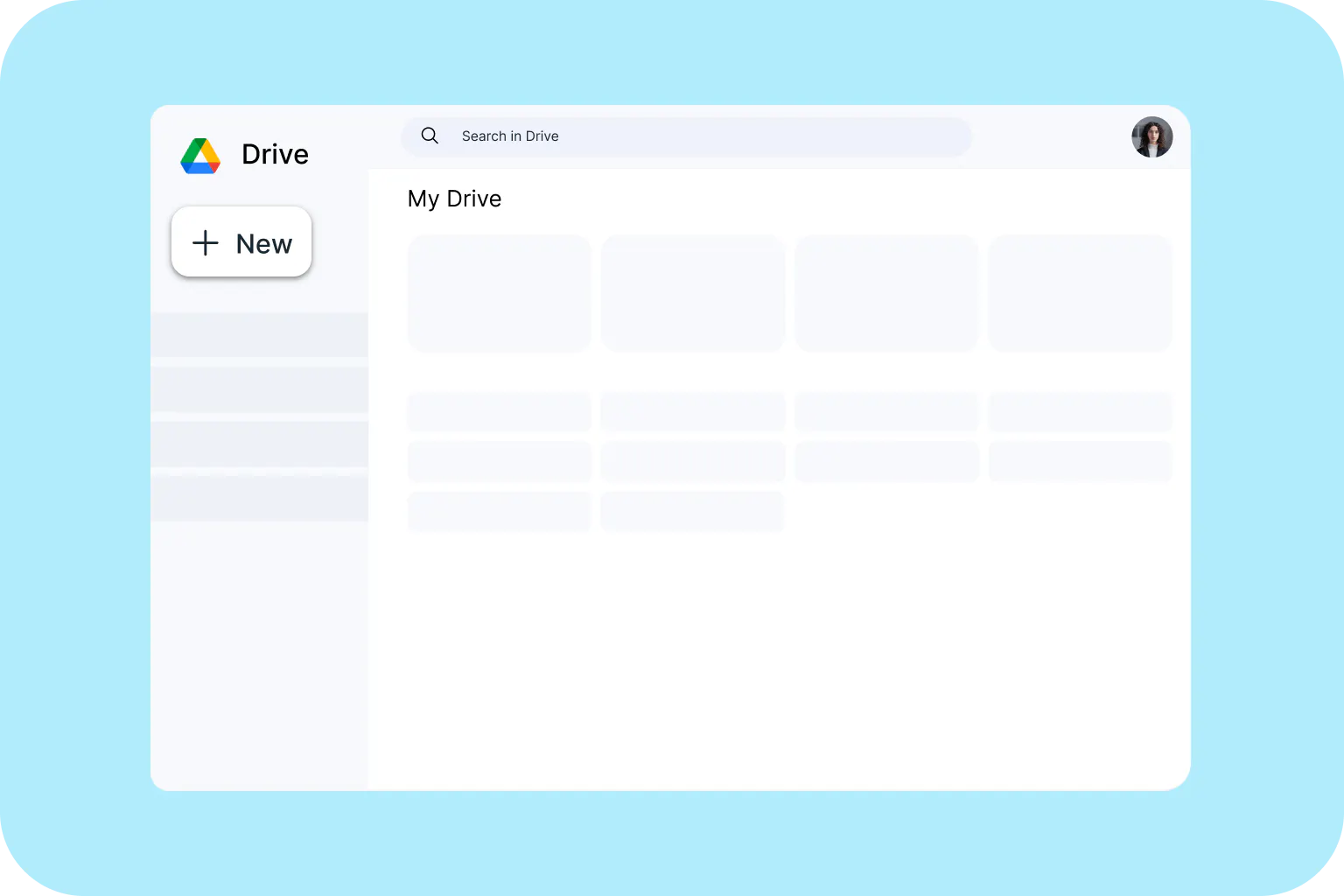
Open Google Drive and click the big ‘New’ button in the top left.
Step 2
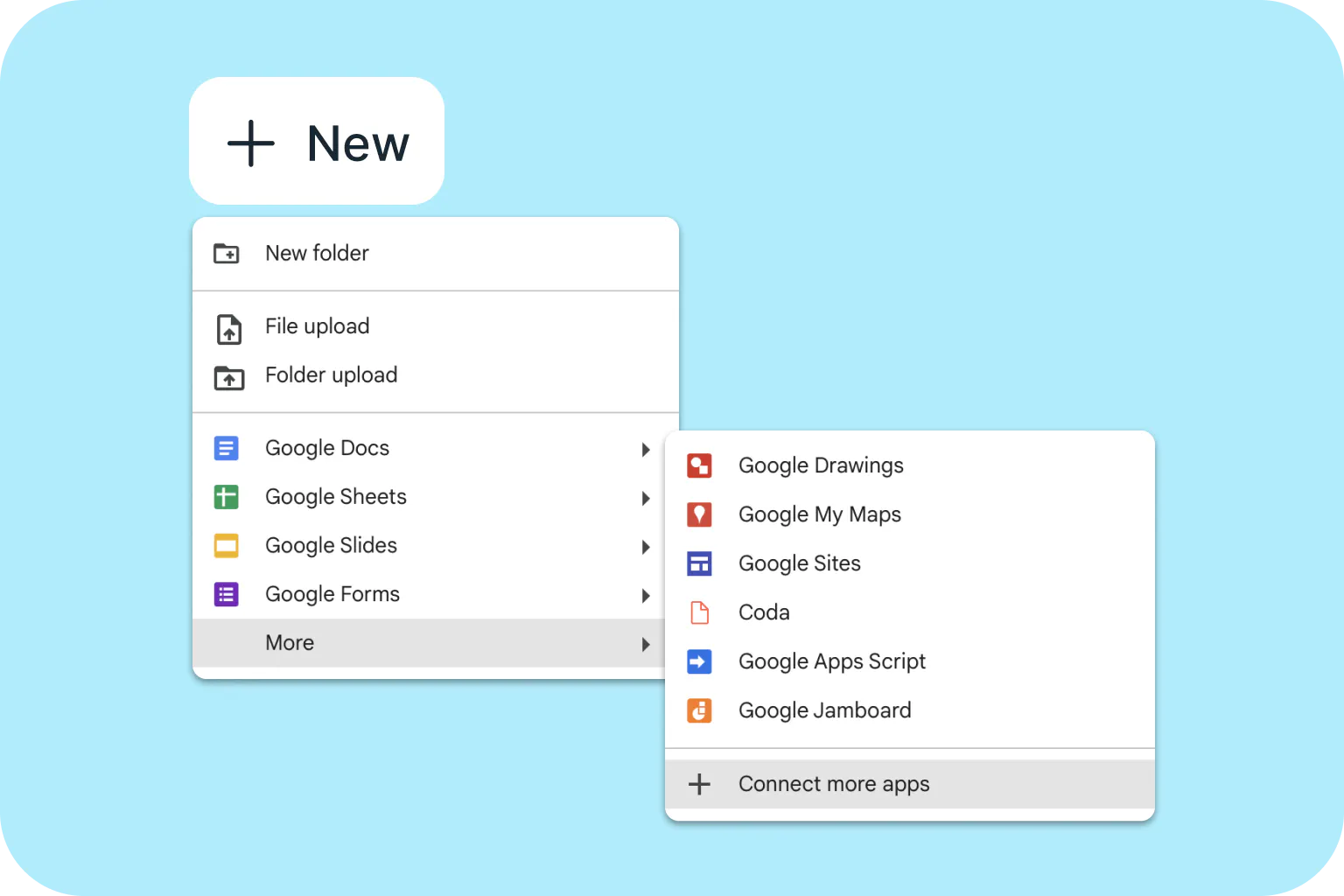
Click ‘More’ down the bottom of the list, then ‘Connect more apps’.
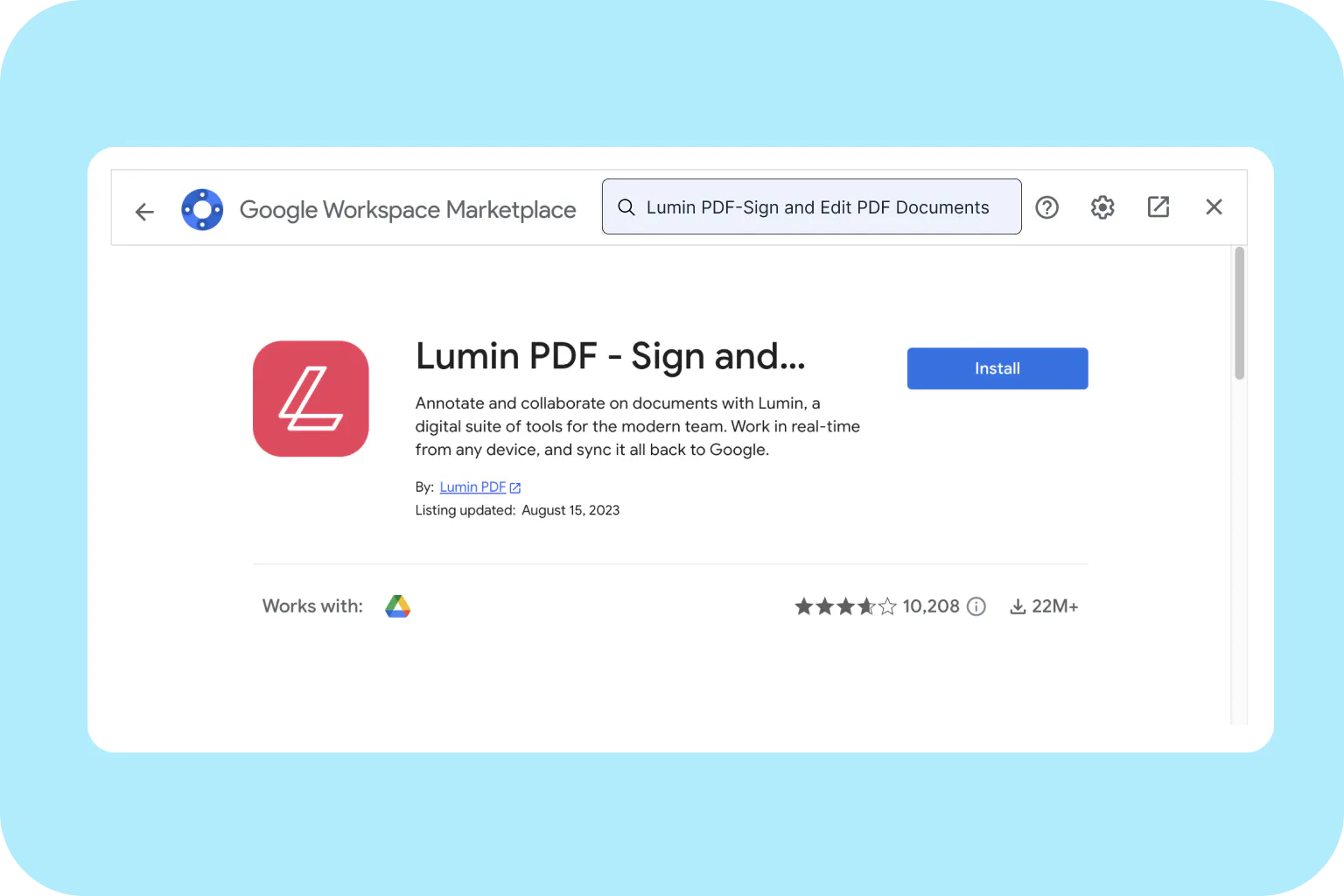
Step 3
In the search bar, type in ‘Lumin’. Click, install and enjoy using Lumin from Google Workspace!

Access your work on any device
Keep work in the cloud for easy access from your mobile phone, tablet or desktop. Lumin is ready when you are.
Frequently Asked Questions
Google + Lumin in one place