Lumin logo
  • Lumin Products
    • AgreementGen

      Your agreement drafting sidekick

    • Lumin Sign

      Simple and secure digital signing

    • Lumin PDF

      Edit, collaborate, and share PDFs

    • Lumin AI

      Supercharge your docs

    Download Apps
    API and Integrations
    • eSign API

      Seamless eSignature integration

    • Integrations

      Streamline your workflow with ease

  • AgreementGen

    • AI agreement generator

    • AI agreement editor

    • NDA generator

    • Lease agreement generator

    • Employment contract creator

    • Terms and conditions generator

    • Operating agreement generator

    • Non-compete agreement generator

    • Business plan generator

    Lumin Sign

    • Sign PDF

    Lumin PDF

    • Edit PDF

    • Edit PDF text

    • Collaboration

    • Create fillable PDF

    • Merge PDF

    • Unlock PDF

    • Integrate Google

    All tools
  • By use cases

    Streamline efficiency

    Use the cloud to reduce the burden of countless tools

    Build relationships

    Collaborate and negotiate with a few clicks

    Secure with confidence

    Comply and stay with global security standards

    Onboard from anywhere

    Automate contract admin to seal deals faster

    Accelerate collaboration

    Make teamwork seamless with a centralized suite of tools

    Work on site

    Fast-track fieldwork with offline mode for mobile

  • Discover

      Blog

      News and views on collaborative workflows

      Template Discovery

      Find, fill and sign 5,000+ free online forms

      Customer Stories

      Discover companies creating more impact with less admin

    Support

      Lumin 101

      New here?
      Learn the basics

      Help Center

      Your complete manual to Lumin and Lumin Sign

  • Enterprise
  • Pricing
  • Request a demo
Try for freeSign in
Request a demo
Sign in
Try for free

Flatten PDF

Remove interactive elements and make your PDF uneditable. Flatten forms, annotations, and layers into a single, static document that looks the same on any device. Upload and flatten for free.

One moment...

or drop your first file here

You're in good company

costco logo
spotify logo
salesforce logo
pinterest logo
knightFrank logo
paypal logo
uber logo
costco logo
spotify logo
salesforce logo
pinterest logo
knightFrank logo
paypal logo
uber logo
costco logo
spotify logo
salesforce logo
pinterest logo
knightFrank logo
paypal logo
uber logo

How to flatten a PDF

  • 1

    Step 1

    Drop a PDF file into the dropzone above or click the 'Upload' button.
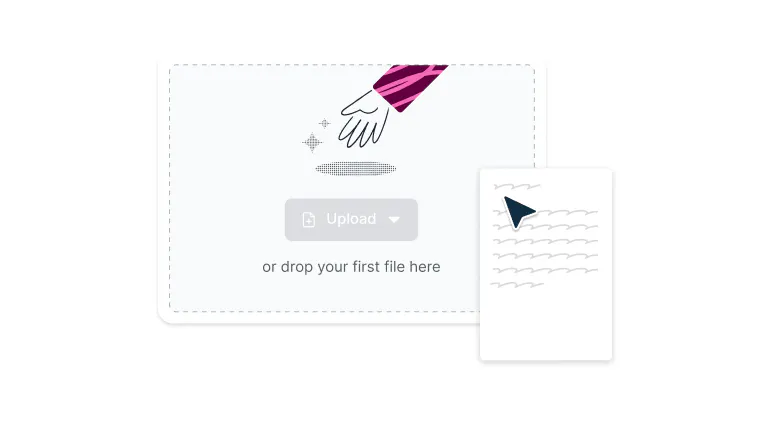
    Uploading a file to Lumin
  • 2

    Step 2

    Click the ‘Print’ button in the toolbar and select ‘Save as PDF’.
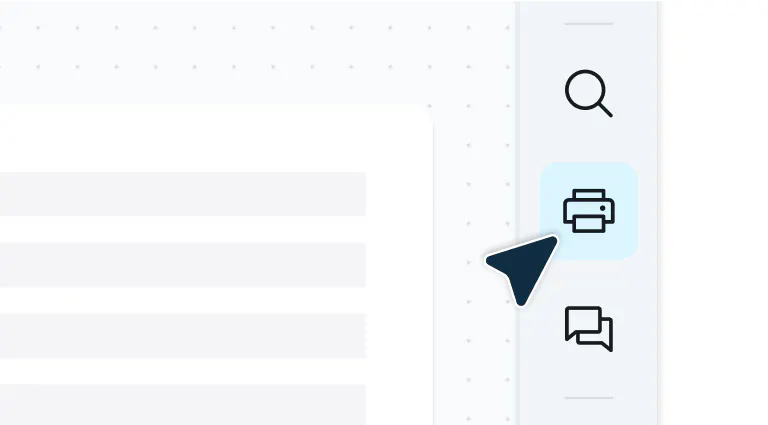
    Clicking the 'Print' button in Lumin
  • 3

    Step 3

    Click ‘Save’. Your flattened PDF will be saved in your chosen location.
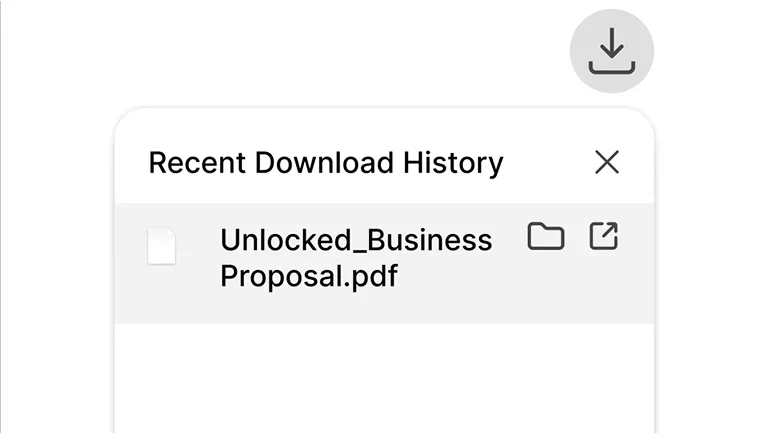
    Saving a flattened PDF to a computer.

Easy PDF flattening

Keep formatting consistent no matter where your document goes.

  • Complete document control

    Lumin's flattening feature permanently locks in all your text, annotations, form fields, and images into one clean, professional document. What you see is exactly what everyone else gets, with no formatting surprises.

  • Edit first, convert later

    Use Lumin's full editing toolkit to highlight important sections, add notes, fill out forms, or insert text, then flatten the PDF to lock everything into place permanently.

  • Works on any device

    Whether you're finishing up a proposal on your Mac or Windows laptop, reviewing contracts on your iPad, or making quick edits on your iPhone or Android device, Lumin's flatten PDF functionality works seamlessly across every device.

  • Enterprise-level security

    Your sensitive documents deserve serious protection. We process your PDFs with enterprise-level security that keeps your content safe from upload to final download.

  • Connects to your existing workflow

    Improve your workflow without disrupting it. Pull files directly from Google Drive, make your edits, flatten the PDF, and save everything back where it belongs.

  • Intelligent file optimization

    Transform complex, layered documents into clean, efficient PDFs that load faster, print better, and display consistently everywhere.

Frequently asked questions

  • Flattening a PDF means converting all interactive and layered elements – including form fields, annotations, and digital signatures – into a single, static layer. This process makes the document uneditable and ensures that all content appears exactly as intended, regardless of the viewing software or device.

    With Lumin, you can achieve this by using our print-to-PDF feature, which effectively "locks in" all the visual elements permanently.

  • Flattening your PDF keeps everything looking exactly as it should. The process merges interactive elements — like form fields, annotations, and layers — into one clean document without messing with the visual quality.

    Your text stays crisp and images remain clear. While some ultra-high-resolution graphics might see minor adjustments during flattening, the quality that matters most is preserved.

    You'll end up with a consistent document that's secure and ready to share or print — without the complexity of layered structures.

  • Using our flattening process doesn't remove form fields and annotations, but it does convert them into permanent, non-interactive content.

    Filled form fields become regular text, checkboxes and radio buttons become static marks, and annotations become part of the document's visual layer. The content remains visible and intact, but users can no longer modify, clear, or interact with these elements.

  • Flattening your PDF before printing is a smart move. It locks everything in place so what you see on screen is exactly what comes out of the printer.

    Without flattening, these elements can get messy or disappear entirely, especially when you're printing from different devices or printer setups. Flattening creates a clean, simplified version that prints consistently every time.

    Got fillable fields, signatures, or markups in your PDF? Flatten it first to avoid those annoying formatting surprises and missing content that can ruin an otherwise perfect document.

  • Flattening a PDF doesn’t necessarily reduce its file size. The result depends on how the PDF was originally created and how complex its interactive elements (like form fields, annotations, or layers) are.

    In some cases, flattening can simplify the document and make it smaller. But in others (especially if flattening converts vector graphics or interactive elements into high-resolution images), the file size might actually increase.

    If you need to reduce the size of your PDF once flattened, try our PDF compression tool.

  • Yes! One of the key advantages of using Lumin is the ability to make edits before flattening.

    Add highlights, insert text, create annotations, fill out forms, or make any other modifications using our comprehensive PDF editor. Once you're satisfied with all changes, use the print-to-PDF feature to flatten the PDF and lock everything in permanently.

Trusted by more than 100 million customers

2,000+ reviews

g2trustpilotcapterra

Your go-to PDF editing guides

A PDF being edited with AI tools.

PDF editing

• Aug 15, 2025

How to edit PDFs with AI: Work smarter, not harder

AI has transformed PDF editing, making complex tasks quick and effortless. Learn how to use AI to update text, annotate, summarize, redact, and organize your documents in a fraction of the time.

Read more How to edit PDFs with AI: Work smarter, not harder→
A person adding new pages to a PDF document

PDF editing

• Jul 24, 2025

How to add pages to a PDF

Need to add pages to a PDF? This guide shows you how to insert blank pages or merge pages from another PDF quickly and securely.

Read more How to add pages to a PDF→
A locked PDF being made editable

PDF editing

• Aug 5, 2025

How to make a PDF editable

Need to update a PDF? You can make changes like editing text, filling in forms, or adjusting the layout without expensive software.

Read more How to make a PDF editable→
A person editing a PDF on a Mac

PDF editing

• Jul 18, 2025

How to edit a PDF on Mac (free and easy options)

Edit PDFs on your Mac effortlessly with free tools. From basic markups to full editing and signing, no downloads or costly software required

Read more How to edit a PDF on Mac (free and easy options)→
How to sign a PDF on a Mac

eSigning

• Jul 25, 2025

How to sign a PDF on a Mac

Looking to sign a PDF on your Mac? This guide covers the simplest (and free) ways to add your signature.

Read more How to sign a PDF on a Mac→

Discover Lumin’s products

Collaborate with existing colleagues and onboard new ones with Lumin and Lumin Sign. Our innovative solutions work great on their own, but they’re even better together.


Lumin

Lumin

An easy-to-use PDF editor that stands alone or integrates with Google Workspace.
Learn more
Lumin Sign

Lumin Sign

A digital signature workflow tool that seals deals with legally-compliant signatures.
Learn more
Lumin Sign API

Lumin Sign API

An eSignature API designed to be plugged into your platform with minimal effort.
Learn more

Lumin tools

Lumin PDF

Lumin PDF

  • Organize
    Merge PDF
    Merge PDF
    Split PDF
    Split PDF
    Delete PDF page
    Delete PDF page
    Compress PDF
    Compress PDF
    Rotate PDF
    Rotate PDF
    Organize PDF
    Organize PDF
    Extract PDF
    Extract PDF
    AI PDF
    AI PDF summarizer
    AI PDF summarizer
    Chat with PDF
    Chat with PDF
    Scan
    PDF OCR
    PDF OCR
    Scan PDF
    Scan PDF
  • Edit & annotate
    Edit PDF
    Edit PDF
    Crop PDF
    Crop PDF
    Annotate PDF
    Annotate PDF
    Edit PDF text
    Edit PDF text
    Create fillable PDF
    Create fillable PDF
    PDF reader
    PDF reader
    Redact PDF
    Redact PDF
    More
    Unlock PDF
    Unlock PDF
    Flatten PDF
    Flatten PDF
    Protect PDF
    Protect PDF
  • Convert to PDF
    PDF converter
    PDF converter
    JPG to PDF
    JPG to PDF
    PPT to PDF
    PPT to PDF
    Word to PDF
    Word to PDF
    Excel to PDF
    Excel to PDF
    PNG to PDF
    PNG to PDF
    Convert from PDF
    PDF to PNG
    PDF to PNG
    PDF to JPG
    PDF to JPG
    PDF to Word
    PDF to Word
    PDF to PPT
    PDF to PPT
    PDF to Excel
    PDF to Excel
AgreementGen

AgreementGen

  • AI agreement generator
    AI agreement generator
    AI agreement editor
    AI agreement editor
    NDA generator
    NDA generator
    Lease agreement generator
    Lease agreement generator
    Employment contract creator
    Employment contract creator
    Terms and conditions generator
    Terms and conditions generator
    Operating agreement generator
    Operating agreement generator
    Non-compete agreement generator
    Non-compete agreement generator
    Business plan generator
    Business plan generator
Lumin Sign

Lumin Sign

  • Sign PDF
    Sign PDF
  • Product

    • Lumin
    • Lumin Sign
    • AgreementGen
    • eSign API
    • Features
    • Plans & Pricing
    • Google Workspace
      Lumin for Slack
      Lumin for Chrome
      Lumin for Claude
      See all
  • Solutions

    • Streamline efficiency
    • Onboard from anywhere
    • Accelerate collaboration
    • Build relationships
    • Secure with confidence
    • Work on site
  • Learn & Discover

    • Help Center
    • Blog
    • Lumin 101
    • Customer Stories
    • Templates
    • Template categories
    • Template collections
  • Company

    • Who we are
    • Our mission
    • Careers
    • Become a partner
  • Security

    • Compliance & features
    • Personal data
    • Privacy policy
    • Terms of use
    • Status
    • Bug bounty program
  • Download

    • iOS & Android
    • Mac & Windows

    Contact

    • Support
    • Sales
    • Request a Demo
  • Contact

    • Support
    • Sales
    • Request a Demo
Google Cloud Partner

© 2014–2026 Lumin PDF Corporation | San Francisco, United States | All rights reserved

English
  • English
  • Español
  • Tiếng Việt
  • Português
  • Français