Lumin logo
  • Lumin Products
    • AgreementGen

      Your agreement drafting sidekick

    • Lumin Sign

      Simple and secure digital signing

    • Lumin PDF

      Edit, collaborate, and share PDFs

    • Lumin AI

      Supercharge your docs

    Download Apps
    API and Integrations
    • eSign API

      Seamless eSignature integration

    • Integrations

      Streamline your workflow with ease

  • AgreementGen

    • AI agreement generator

    • AI agreement editor

    • NDA generator

    • Lease agreement generator

    • Employment contract creator

    • Terms and conditions generator

    • Operating agreement generator

    • Non-compete agreement generator

    • Business plan generator

    Lumin Sign

    • Sign PDF

    Lumin PDF

    • Edit PDF

    • Edit PDF text

    • Collaboration

    • Create fillable PDF

    • Merge PDF

    • Unlock PDF

    • Integrate Google

    All tools
  • By use cases

    Streamline efficiency

    Use the cloud to reduce the burden of countless tools

    Build relationships

    Collaborate and negotiate with a few clicks

    Secure with confidence

    Comply and stay with global security standards

    Onboard from anywhere

    Automate contract admin to seal deals faster

    Accelerate collaboration

    Make teamwork seamless with a centralized suite of tools

    Work on site

    Fast-track fieldwork with offline mode for mobile

  • Discover

      Blog

      News and views on collaborative workflows

      Template Discovery

      Find, fill and sign 5,000+ free online forms

      Customer Stories

      Discover companies creating more impact with less admin

    Support

      Lumin 101

      New here?
      Learn the basics

      Help Center

      Your complete manual to Lumin and Lumin Sign

  • Enterprise
  • Pricing
  • Request a demo
Try for freeSign in
Request a demo
Sign in
Try for free

Free PDF to PNG Converter

Convert PDFs to editable PNG in seconds. Just upload your file and open it in Lumin to edit, share, or download — free and easy.

One moment...

or drop your file here

You’re in good company

costco logo
spotify logo
salesforce logo
pinterest logo
knightFrank logo
paypal logo
uber logo
costco logo
spotify logo
salesforce logo
pinterest logo
knightFrank logo
paypal logo
uber logo
costco logo
spotify logo
salesforce logo
pinterest logo
knightFrank logo
paypal logo
uber logo

How to convert PDFs to PNGs

Follow these steps to quickly turn your PDF into PNG images.

  • 1

    Step 1

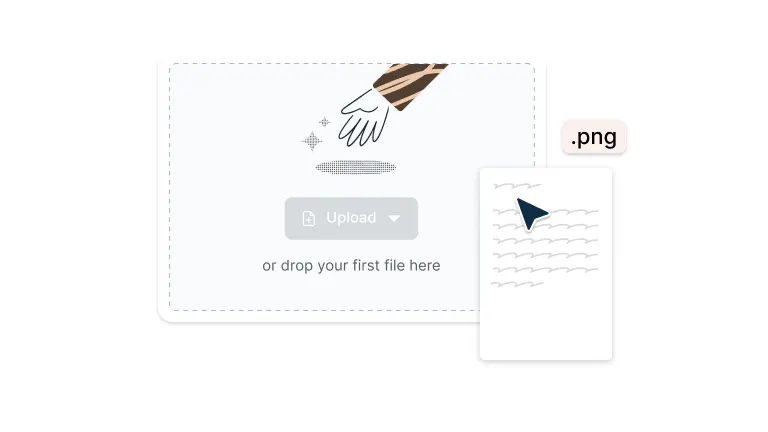
    Drop your PDF file into the dropzone above or click the 'Upload' button.
  • 2

    Step 2

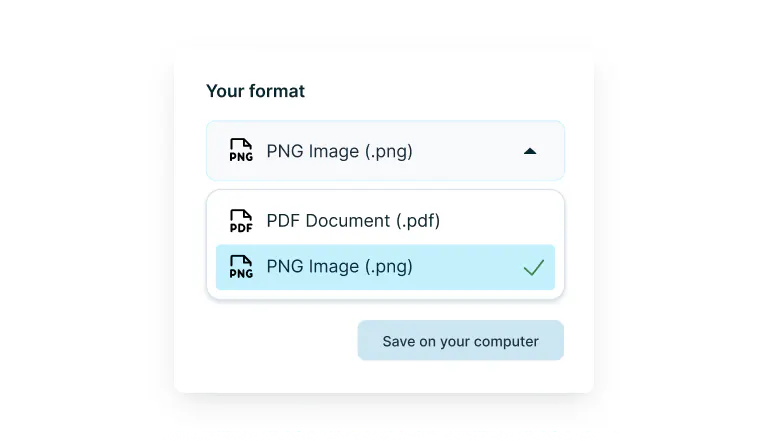
    Select ‘PNG Image’ from the drop-down selector.
  • 3

    Step 3

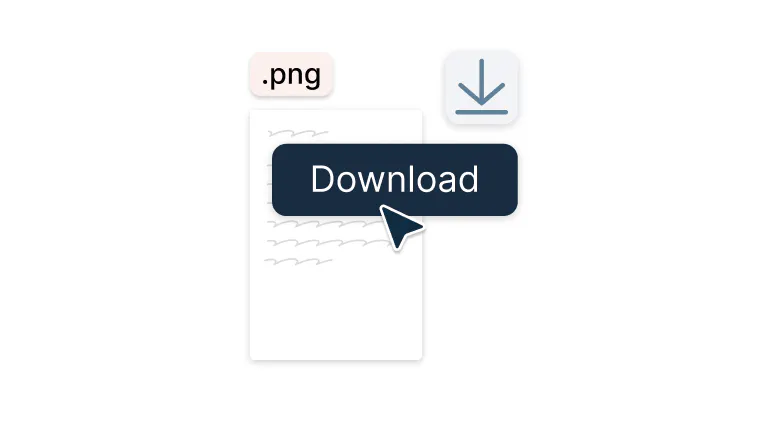
    Download your PNG file.

Fast, high-quality PDF to PNG conversion

Turn your PDFs into crisp, share-ready PNG images in seconds.

  • PDFs to PNGs in a snap

    Transform any PDF into PNG images with just a few clicks. Perfect for web uploads, presentations, or quick sharing – your documents become versatile images that work everywhere.

  • Quality that speaks for itself

    Every detail stays sharp: colors pop and text remains crisp. Your converted PNGs look like your PDFs, just more flexible. Excellent results, every single time.

  • Convert from any computer

    Whether you're on Mac or Windows, convert PDFs to PNG from any desktop or laptop with an internet connection. It works seamlessly across different operating systems and computers.

  • Work directly from Google Drive

    Open PDFs directly from Google Drive, convert them to PNG, and save them back. Everything happens seamlessly within your workflow. No need to download files locally or manage multiple versions across different platforms.

  • Keep your files completely secure

    Once you upload your files to Lumin, they're protected with encryption and optional password protection. While stored in Lumin, your documents remain secure and under your control.

  • Offline access available

    Convert to PNG even without Wi-Fi using the Lumin desktop app, because productivity shouldn't depend on your internet connection.

Frequently asked questions

  • PNG (Portable Network Graphics) is an image format that supports lossless compression and transparency. Unlike JPG files, PNG images don't lose quality through compression, making them well-suited for graphics with text, logos, or images that need transparent backgrounds. PNG files are widely supported across all devices and platforms.

  • Yes, you can convert a PDF to PNG using Lumin PDF. Just drag and drop your file into the tool, and it will quickly turn each page into a high-quality PNG image. It’s completely free and easy to use.

  • Once converted to PNG, your files become image files rather than editable documents. 

    However, you can edit PNG images using image editing software like Photoshop, GIMP, or even basic photo editors. If you need to make text changes or major edits, it's better to edit the original PDF in Lumin first, then convert to PNG.

  • The choice between JPG and PNG depends on your needs:

    • Choose PNG for: Graphics with text, logos, images needing transparency, or when you want zero quality loss

    • Choose JPG for: Photographs, when smaller file sizes are crucial, or for web images where slight quality loss is acceptable

    For PDF conversions, PNG is often preferable because it preserves text clarity and avoids introducing compression artifacts that can make documents appear blurry.

    Decided that JPG is the right format for you? Use our PDF to JPG converter.

  • Technically, you can’t convert a PDF to PNG directly within Google Drive. However, Lumin is integrated with Google Drive, so you can open your PDF using Lumin, convert it to PNG, and then save the converted images back to your Drive. It’s a seamless process that integrates seamlessly within your existing Drive workflow.

  • Yes, Lumin offers free PDF to PNG conversion. You simply need to drop or upload your PDF file, and you can convert it to PNG at no cost. It's a straightforward process that provides instant access to high-quality PNG conversions.

Trusted by more than 100 million customers

2,000+ reviews

g2trustpilotcapterra

Featured articles

A picture being converted to a PDF on an iPhone

PDF editing

• Aug 7, 2025

How to turn your pictures into PDFs on iPhone

Need to save photos as PDFs on your iPhone? This guide walks you through the easiest ways to convert images into PDFs using your iPhone’s native features or free apps.

Read more How to turn your pictures into PDFs on iPhone→
a woman uses a PDF file as a magic carpet to fly through the clouds

PDF editing

• Jan 10, 2024

Why converting PDFs online shouldn't be so hard

PDFs were meant to make life easier. So why are PDF editing tools still so hard to use?

Read more Why converting PDFs online shouldn't be so hard→
A PDF document being converted to a Word doc.

PDF editing

• Aug 7, 2025

How to convert PDFs to Google Docs

We show you how to convert a PDF to a Google Doc using two free methods, plus how to fix or avoid formatting problems along the way.

Read more How to convert PDFs to Google Docs→

Discover Lumin’s products

Collaborate with existing colleagues and onboard new ones with Lumin and Lumin Sign. Our innovative solutions work great on their own, but they’re even better together.

Lumin

Lumin

An easy-to-use PDF editor that stands alone or integrates with Google Workspace.
Learn more
Lumin Sign

Lumin Sign

A digital signature workflow tool that seals deals with legally-compliant signatures.
Learn more
Lumin Sign API

Lumin Sign API

An eSignature API designed to be plugged into your platform with minimal effort.
Learn more

Lumin tools

Lumin PDF

Lumin PDF

  • Organize
    Merge PDF
    Merge PDF
    Split PDF
    Split PDF
    Delete PDF page
    Delete PDF page
    Compress PDF
    Compress PDF
    Rotate PDF
    Rotate PDF
    Organize PDF
    Organize PDF
    Extract PDF
    Extract PDF
    AI PDF
    AI PDF summarizer
    AI PDF summarizer
    Chat with PDF
    Chat with PDF
    Scan
    PDF OCR
    PDF OCR
    Scan PDF
    Scan PDF
  • Edit & annotate
    Edit PDF
    Edit PDF
    Crop PDF
    Crop PDF
    Annotate PDF
    Annotate PDF
    Edit PDF text
    Edit PDF text
    Create fillable PDF
    Create fillable PDF
    PDF reader
    PDF reader
    Redact PDF
    Redact PDF
    More
    Unlock PDF
    Unlock PDF
    Flatten PDF
    Flatten PDF
    Protect PDF
    Protect PDF
  • Convert to PDF
    PDF converter
    PDF converter
    JPG to PDF
    JPG to PDF
    PPT to PDF
    PPT to PDF
    Word to PDF
    Word to PDF
    Excel to PDF
    Excel to PDF
    PNG to PDF
    PNG to PDF
    Convert from PDF
    PDF to PNG
    PDF to PNG
    PDF to JPG
    PDF to JPG
    PDF to Word
    PDF to Word
    PDF to PPT
    PDF to PPT
    PDF to Excel
    PDF to Excel
AgreementGen

AgreementGen

  • AI agreement generator
    AI agreement generator
    AI agreement editor
    AI agreement editor
    NDA generator
    NDA generator
    Lease agreement generator
    Lease agreement generator
    Employment contract creator
    Employment contract creator
    Terms and conditions generator
    Terms and conditions generator
    Operating agreement generator
    Operating agreement generator
    Non-compete agreement generator
    Non-compete agreement generator
    Business plan generator
    Business plan generator
Lumin Sign

Lumin Sign

  • Sign PDF
    Sign PDF
  • Product

    • Lumin
    • Lumin Sign
    • AgreementGen
    • eSign API
    • Features
    • Plans & Pricing
    • Google Workspace
      Lumin for Slack
      Lumin for Chrome
      Lumin for Claude
      See all
  • Solutions

    • Streamline efficiency
    • Onboard from anywhere
    • Accelerate collaboration
    • Build relationships
    • Secure with confidence
    • Work on site
  • Learn & Discover

    • Help Center
    • Blog
    • Lumin 101
    • Customer Stories
    • Templates
    • Template categories
    • Template collections
  • Company

    • Who we are
    • Our mission
    • Careers
    • Become a partner
  • Security

    • Compliance & features
    • Personal data
    • Privacy policy
    • Terms of use
    • Status
    • Bug bounty program
  • Download

    • iOS & Android
    • Mac & Windows

    Contact

    • Support
    • Sales
    • Request a Demo
  • Contact

    • Support
    • Sales
    • Request a Demo
Google Cloud Partner

© 2014–2026 Lumin PDF Corporation | San Francisco, United States | All rights reserved

English
  • English
  • Español
  • Tiếng Việt
  • Português
  • Français