
Why we translated Lumin into four new languages
Author
Josie Adams
Published
Jul 12, 2023
Categories
News
Read time
2 mins
No more getting lost in Google Translation. We know millions of you don’t speak English as a first language – so why should you use software in it? Here’s what we’re doing to help.
Learn more:
- 1. How to change language
- 2. How we translated Lumin
- 3. Why we translated Lumin
- 4. The next stage: Lumin in 180+ languages
Share this post
Bonjour, hola, xin chào, olá! If you speak Español, Português, Français or Tiếng Việt, Lumin is now optimized for you.
Lumin has more than 30 million non-native English customers. While some browsers can auto-translate our pages, we know it’s never perfect. By translating Lumin – both the website and our web app – into French, Portuguese, Spanish and Vietnamese we hope to give you a better experience.
How to change language
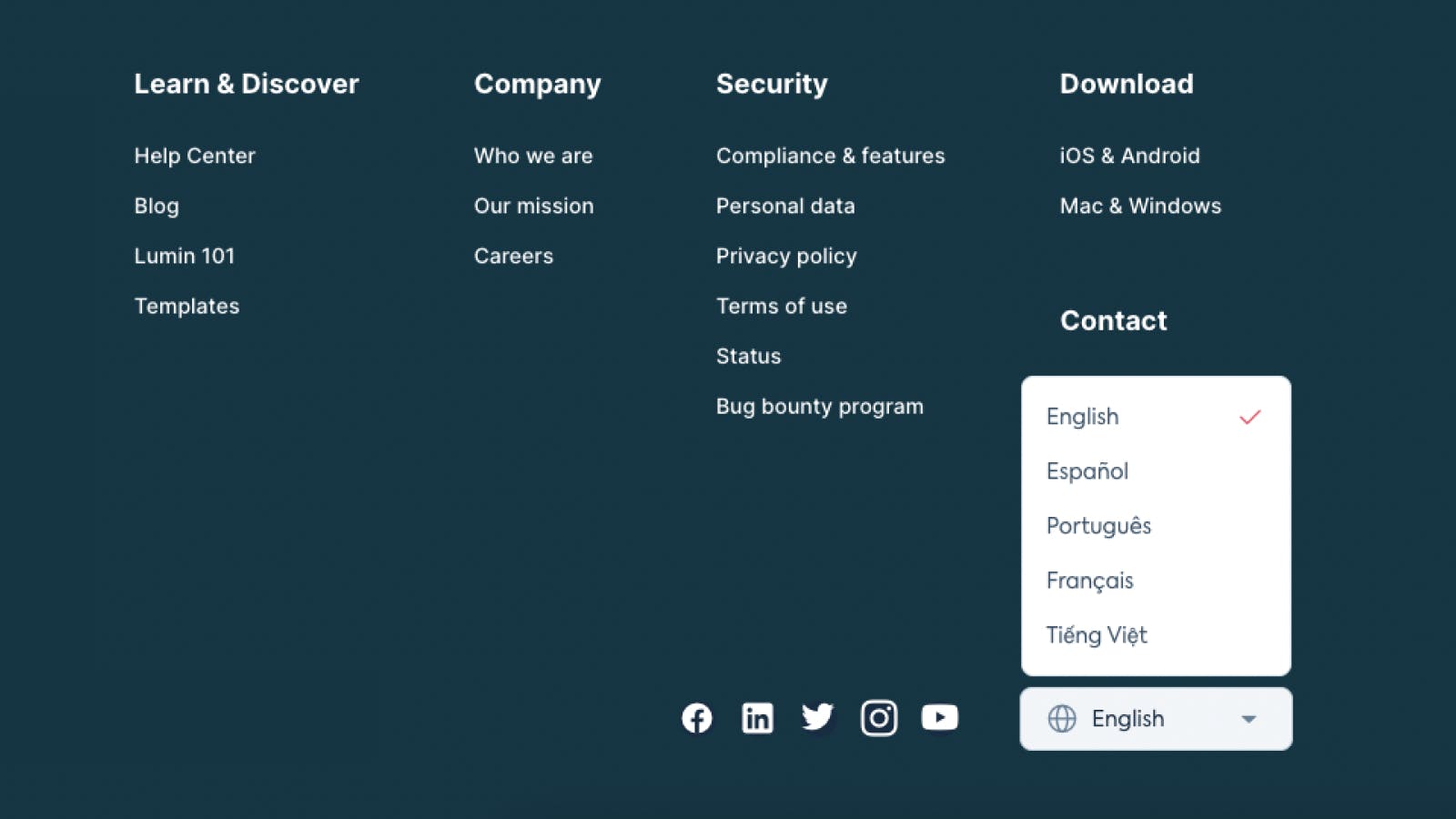
To change the language on our website, you’ll need to scroll down to the bottom of the page. You will see a menu in the footer, next to our social media icons. Click this menu and select your language.
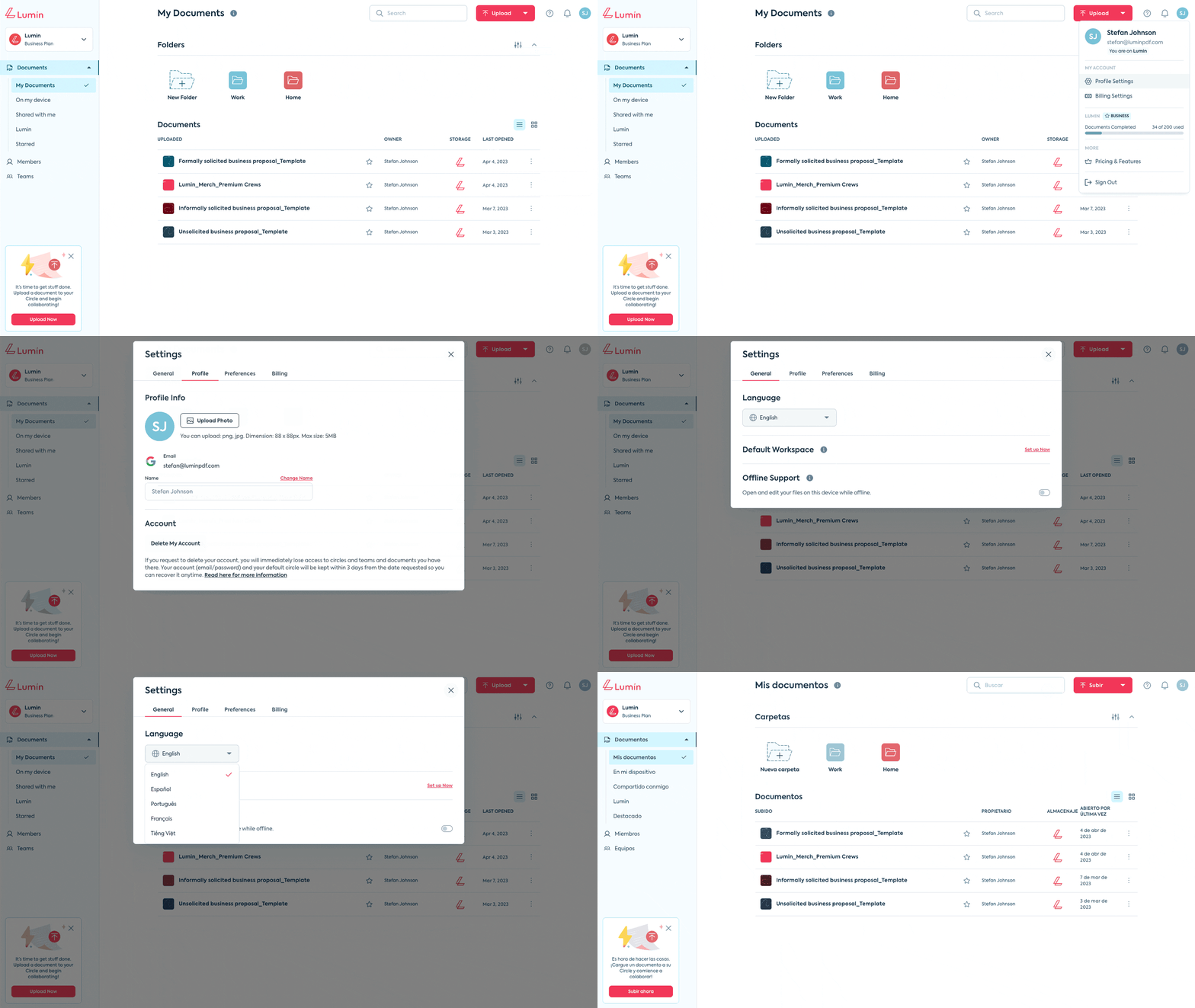
In the web app, you will need to navigate to your profile settings. Click on your profile symbol in the top right corner of your screen, select Profile Settings, and then click on General on the left. You’ll see a menu of languages to select.
Easy!
How we translated Lumin
It took six months to translate Lumin into these four languages. We translated a total of around 20,000 sentences across the website, app, and all the modals and pop-ups inside it.
We tried automated translation, and found that while it was helpful to gauge what needed to be done, the quality was not very good. Automated translation is good with big blocks of text because AI can infer the meaning, but when you get into individual buttons and short phrases, the context is missing and this makes automatic translation worse.
Ultimately we used a combination of human and machine translation, ensuring native speakers had the final say.
Why we translated Lumin
Lumin believes in making good software accessible to everyone. This means keeping our price points low, offering a Free for Schools program, and now making it accessible to native speakers of five global languages.
When customers have to use software that’s not available in their language, it’s going to be a tougher experience. We put ourselves in their shoes and realised it was clearly a suboptimal experience. We’re hoping going multilingual will make using Lumin a bit less frustrating.
Spanish, Portuguese and French were no-brainers for us. While native English speakers make up our biggest customer base, these are close behind. And because many of our developers are based in Vietnam, it was an obvious choice to translate Lumin into Vietnamese first. When devs can use the product in their native language, their work is easier and more enjoyable.
The next stage: Lumin in 180+ languages
Going multilingual was an intense learning process. We haven’t learned it all, but we’ve got a lot of big obstacles out of the way. We’re now waiting to see how well customers like our current translations – if they’re frustrating or broken, we need to go in and fix it. And as soon as we get your tick of approval, we’ll keep going. Eventually we hope to have Lumin in 180+ languages.
Unfortunately, Lumin in other languages is not currently available on our mobile app.
Which language would you like to see Lumin in next? If you have any suggestions for languages, or problems with the current translations, please let us know!
Share this post