
AI PDF Summarizer
Free AI-powered PDF summarizer to instantly extract key points from long documents. Fast, accurate, and effortless.Almost there, finishing the upload.

Drag and drop or click here to upload
You're in good company







How to summarize a PDF using AI
Follow these simple steps to summarize your PDFs.
- 1
Upload
Drop a PDF file into the dropzone above or click the select a file button.

- 2
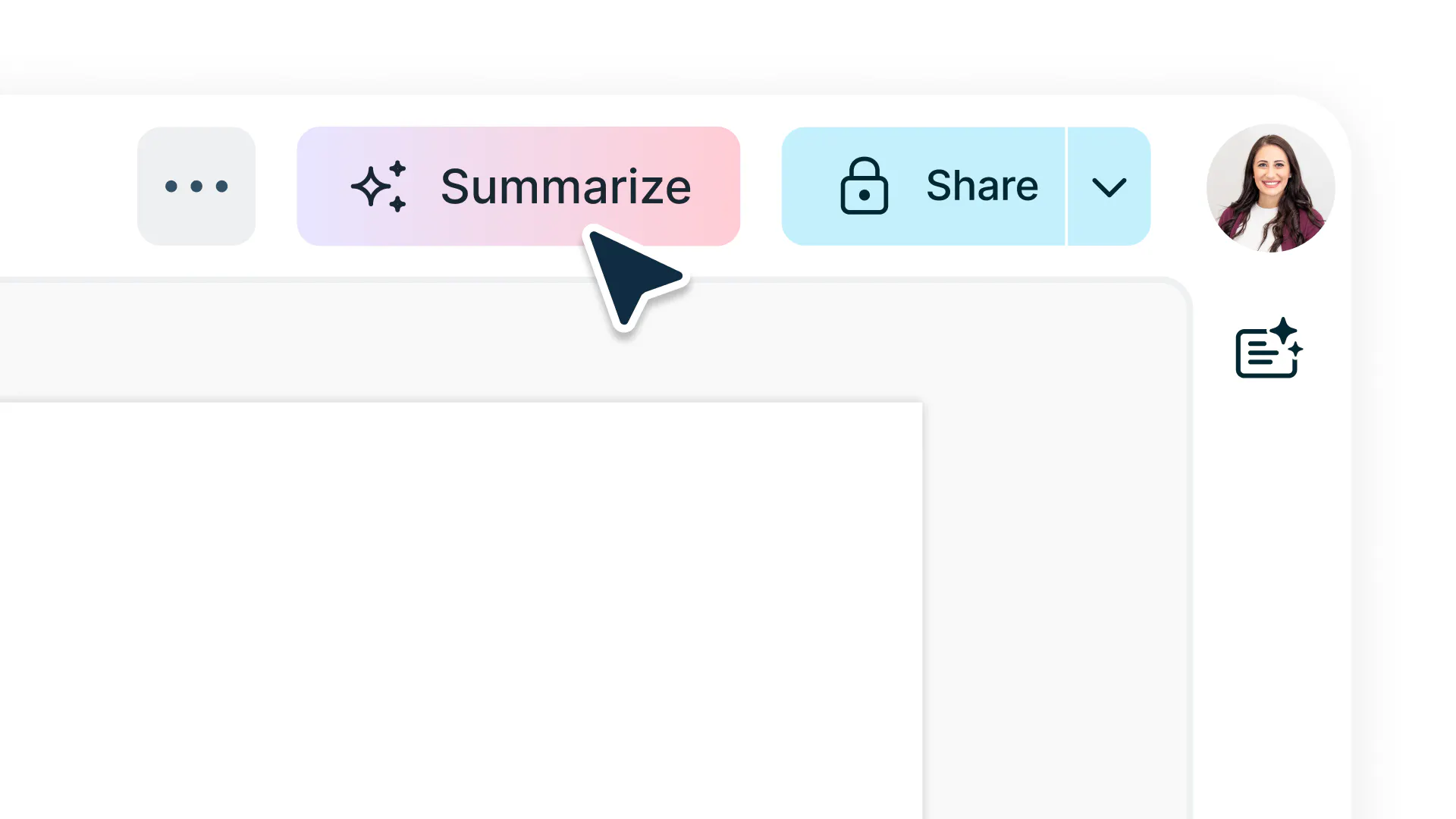
Select summarize
Sign-in and select ‘summarize’ in the top navigation bar of the editor.
- 3
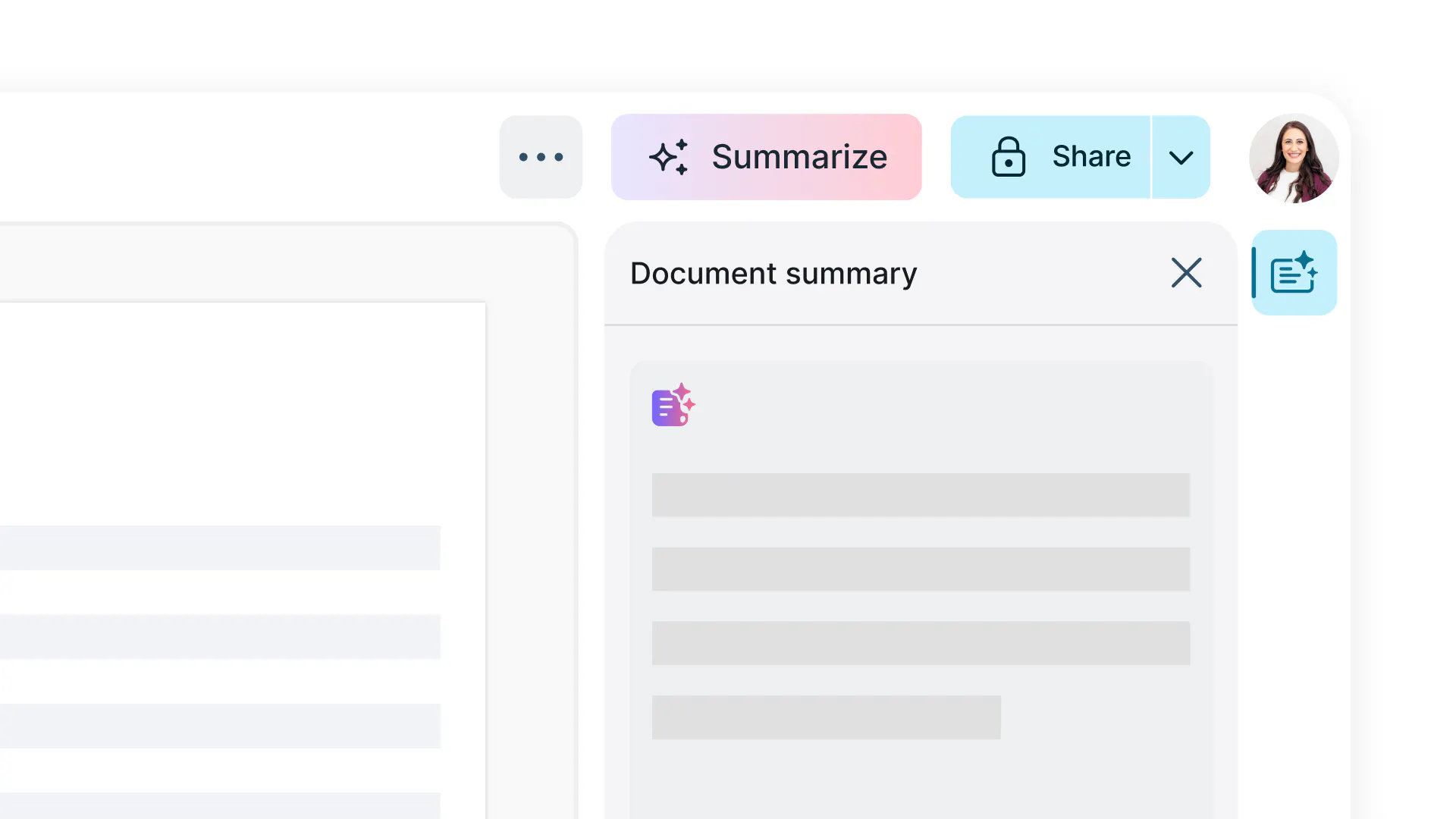
Use AI to get answers
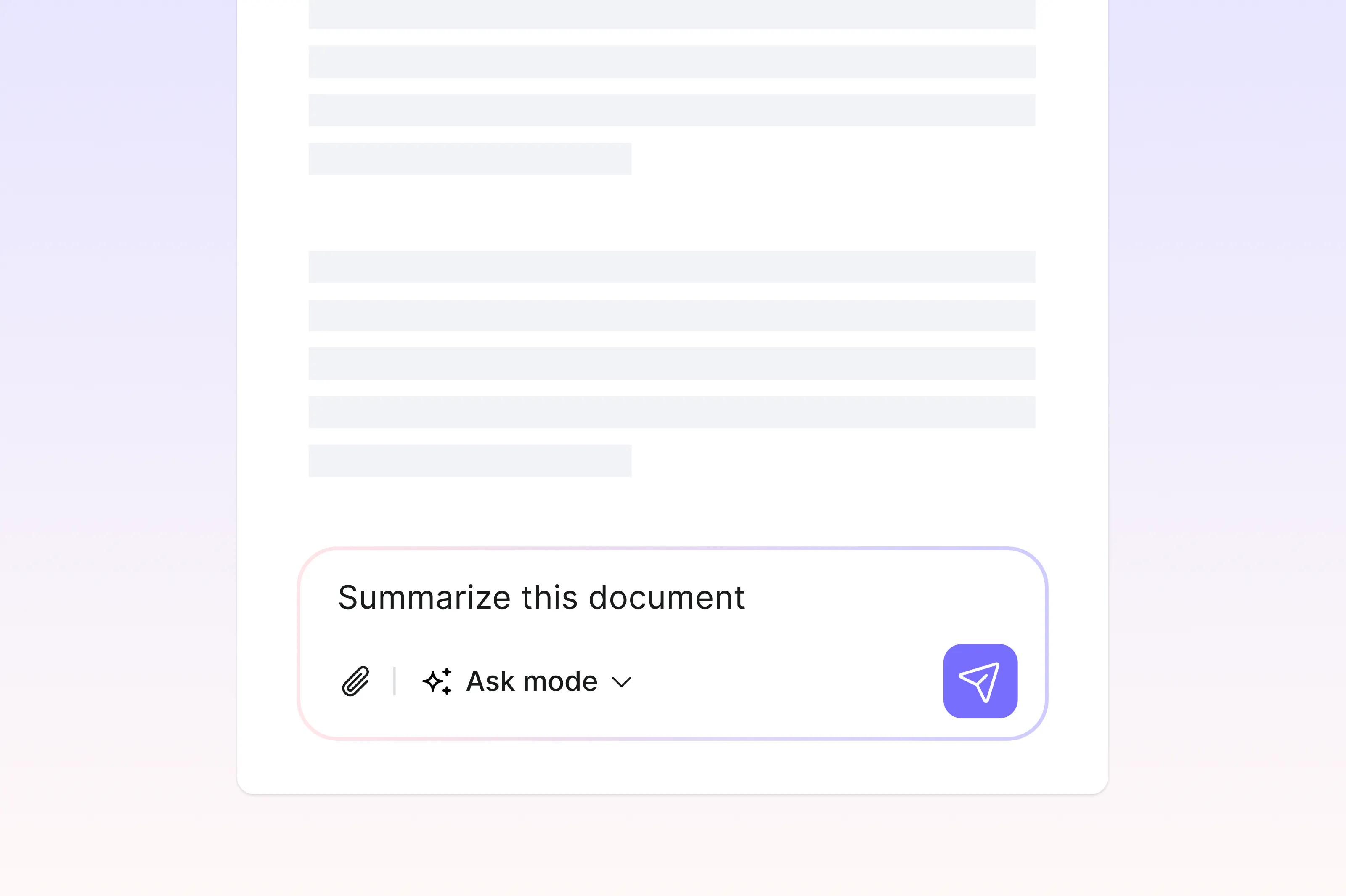
A summary of your PDF will be generated for you in seconds.
Simply summarize your PDFs
Summarize PDFs instantly with AI. Upload your file and let Lumin generate clear, accurate summaries you can edit, share, or download for free and with ease.

Summarize PDFs in seconds
Get clear, concise summaries instantly without reading through pages of text. Suitable for anyone who needs fast, accurate insights from lengthy PDFs.

Regenerate and refine results
Not happy with the first draft? Instantly regenerate to explore different versions and find the one that works best for you.

OCR technology for scanned PDFs
Lumin’s built-in OCR (Optical Character Recognition) automatically converts scanned or image-based PDFs into text before generating a summary. This ensures accurate results, even for printed materials, handwritten notes, or mixed-content files.

Secure and private processing
Your files are protected with 256-bit AES encryption. Lumin is SOC 2 Type 2 certified, giving you greater confidence that your documents are secure.

No downloads or setup
Summarize directly from your browser without installation. Upload, summarize, and save your results from any device.

Generous upload limits
Upload PDFs up to 20 MB, 15 pages, or 48,000 characters. Great for research papers, reports, and study materials.
Frequently asked questions
Yes, Lumin’s AI PDF Summarizer is free to use. You can upload your documents and generate clear, concise summaries at no cost.
The Lumin app works on your browser, or you can download our desktop app and keep Lumin handy on your computer. We’ve also got a mobile and tablet app which includes Lumin’s most popular features.
Our AI PDF summarizer uses advanced artificial intelligence to analyze your document, identify key points, and create a concise summary. Simply upload your PDF, choose your preferred summary length, and let our AI create a clear, accurate summary within seconds.
Keeping your data safe and private while using our AI-powered products is our priority. Learn more about security at Lumin or read our AI ethics statement.Yes! Our AI PDF summarizer works on all devices. Access through your mobile browser or our mobile app to summarize documents on the go.
Yes, you can easily regenerate new versions of your summary until you get the result you want. Lumin gives you flexibility to refine and improve your summaries, helping you find the version that best fits your needs.
Yes, you can upload and summarize password-protected files with ease. Simply enter your password when prompted, and the AI will securely process your document without storing any sensitive data.
Yes, the AI PDF Summarizer includes OCR (Optical Character Recognition) technology that converts scanned or image-based PDFs into text before processing. This ensures accurate summaries even for handwritten notes, printed documents, or mixed-format files.
It’s a convenient solution for researchers, students, and professionals who work with various document types.Yes, Lumin’s AI PDF Summarizer supports PDFs up to 20 MB, 15 pages, or 48,000 characters in size.
If your document exceeds these limits, you can process it in sections or upgrade to a premium plan for extended capacity.Your security and privacy are top priorities at Lumin. All files are encrypted with 256-bit AES protection during upload, processing, and deletion. Documents are automatically removed after use, and Lumin’s SOC 2 Type 2 certification guarantees enterprise-level data safety for every user.
Lumin’s AI delivers highly accurate summaries by identifying key points, arguments, and themes in your PDF. It uses advanced natural language processing to retain essential meaning while removing unnecessary details.
Trusted by more than 100 million customers



Featured articles


Discover Lumin’s products
Collaborate with existing colleagues and onboard new ones with Lumin and Lumin Sign. Our innovative solutions work great on their own, but they’re even better together.

Lumin Sign