
Convert PDF to Excel
Easily turn PDF tables and reports into XLSX spreadsheets using Lumin’s free PDF to Excel converter. Upload your file, convert in secondsAlmost there, finishing the upload.

Drag and drop or click here to upload
You're in good company







How to convert PDFs to Excel
Follow these steps to quickly turn your PDF into an Excel file.
- 1
Upload
Drop your PDF file into the dropzone above or click the 'Upload' button.

- 2
Convert
Select ‘Excel document’ from the available formats.
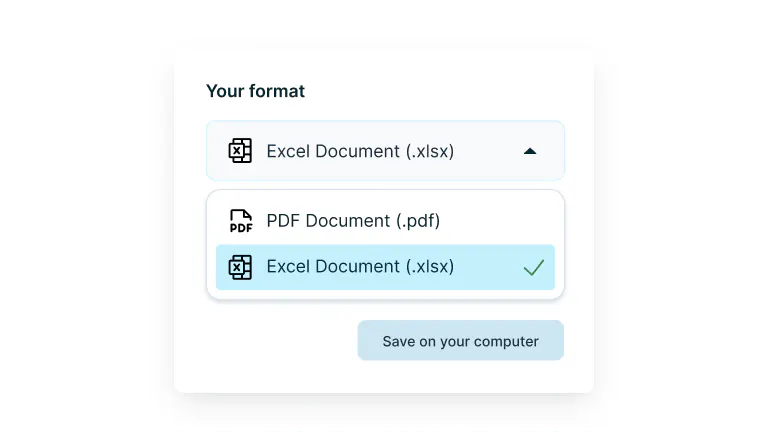
- 3
Download or edit
Download your Excel file.
Fast, accurate PDF to Excel conversion
Extract tables and data from your PDFs without losing formatting. Perfect for reports, invoices, or financial documents.

Accurate data extraction
Convert PDFs into fully editable Excel files with precision. Our PDF to Excel converter keeps tables, columns, and figures aligned as closely as possible, helping you maintain your Excel file as clean as possible.

Drag, drop, and done
Upload your PDF and let Lumin handle the rest. In just a few seconds, you’ll get a clean Excel file ready for editing and analysis when you convert a PDF to Excel.

Edit before converting
Make quick updates to your PDF before converting it to Excel. Add text, reorganize data, and highlight information directly within Lumin to ensure a more accurate and clean conversion.

Real-time collaboration
Collaborate on Excel files with your team after you convert a PDF to Excel. Share access, leave comments, and update data together in real time across any device.

Security you can trust
Once you upload your files to Lumin, they're protected with encryption and optional password protection. While stored in Lumin, your documents remain secure and under your control.

No installation needed
Use our PDF to Excel converter right from your browser. No software downloads or account setup required. Upload, convert, and download instantly from any device.
Frequently asked questions
Yes, Lumin lets you convert PDF files to Excel completely free. Simply upload your PDF, and within seconds, you’ll get an editable spreadsheet ready to download and use.
Our PDF to Excel converter preserves table structures, columns, and data relationships as closely as possible. Please note that some layouts may require adjustments, and not all formatting will remain unchanged.
OCR is not built into the PDF to Excel converter. You need to upload your scanned PDF first, use the OCR feature to recognize the text, then download and save it to convert it into an editable Excel file.
Absolutely. When you convert PDF to Excel with Lumin, your documents are protected by enterprise-level encryption. Files are processed securely and automatically deleted from our servers after the conversion process is complete.
Learn more about how we keep your documents safe.
Trusted by more than 100 million customers



Featured articles

Discover Lumin’s products
Collaborate with existing colleagues and onboard new ones with Lumin and Lumin Sign. Our innovative solutions work great on their own, but they’re even better together.


Lumin Sign