
Redact PDF
Remove sensitive information from your PDFs permanently. Black out text, images, and data that you don't want others to see. Upload your document and redact online for free.Almost there, finishing the upload.

Drag and drop or click here to upload
You're in good company







How to redact a PDF
Follow these simple steps to redact information from your document.
- 1
Step 1
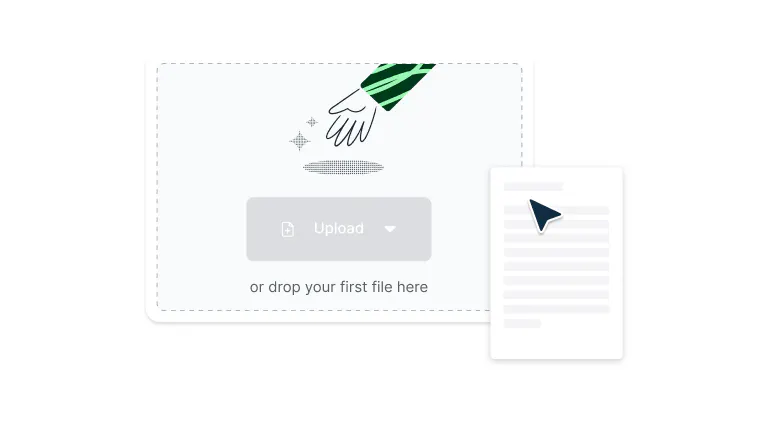
Drop a PDF file into the dropzone above or click the 'Upload' button.
- 2
Step 2
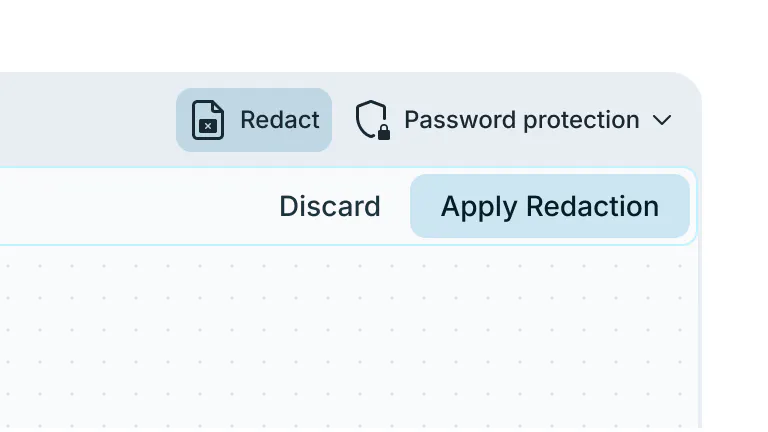
Select ‘Security’ and then click ‘Redact’ in the top toolbar.
- 3
Step 3
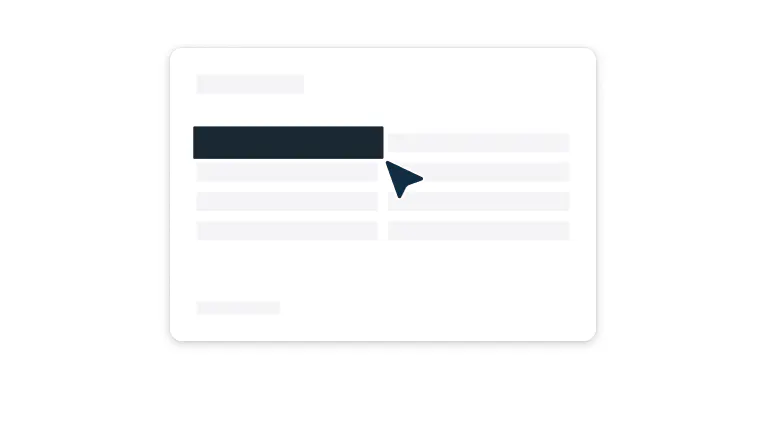
Click and drag the cursor over all information you want to redact. Click ‘Apply redaction’ and then confirm to permanently remove that information.
Secure, fast, and easy PDF redaction
Everything you need to permanently remove sensitive information, all in one tool.

Intelligent PDF redaction
Permanently remove sensitive information from PDFs using intelligent redaction tools that detect and eliminate text, such as names, addresses, credit card numbers, and more.

Intuitive drag-and-select interface
Redact sensitive information with simple click-and-drag functionality that makes document protection accessible to users of all technical levels. Highlight text, images, or entire sections with precision, then apply redactions with a single click.

Business-grade security
Your data is protected with enterprise-level encryption and privacy safeguards, ensuring your documents remain secure during upload, editing, and storage.
Cross-platform redaction
Redact PDFs seamlessly across devices. Whether you’re on Mac, Windows or another operating system, you can securely redact sensitive information anywhere.

Make multiple redactions
Process multiple sections of a document efficiently by highlighting and redacting different areas in sequence. Select one area, move to the next section, and continue redacting without interruption.

Secure collaboration
Share redacted documents safely with team members, clients, or external parties while maintaining complete control over sensitive information.
Frequently Asked Questions
Yep, it’s entirely free to redact your PDF using our tool. Just upload your document to get started.
Yes, you can redact on PDF documents with multiple pages. Simply navigate to each page and follow the same PDF redact process: select the redact tool, highlight the sensitive areas, and apply the redaction. The redact PDF online feature works seamlessly across all pages in your document.
When redacting a PDF through our platform, the information is permanently removed and cannot be recovered.
Unlike simple highlighting or covering text, our PDF document redaction technology ensures that sensitive data is completely eliminated from the file, providing true security for confidential information.To redact a PDF online with multiple sections, follow this workflow: highlight one area and apply the redaction, then move to the next section you want to redact.
You can continue this process throughout the document, redacting a PDF section by section until all sensitive information is protected.Yes, if you need to reverse changes after redacting a PDF, you can revert the document back to its original version using our version control feature.
This allows you to maintain flexibility in your PDF document redaction process while ensuring you never permanently lose important content. Find out how to revert to a previous version of your PDF in our Help Centre.
Note that you can only reverse redactions you have made in Lumin. It’s not possible to unredact properly redacted PDFs from elsewhere.Our redact PDF online platform is specifically designed for PDF files. If you have documents in other formats that need redaction, you'll need to convert them to PDF first before using our redacting PDF features.
No download required! Our redact PDF online tool works entirely in your web browser. You can access all PDF document redaction features directly online without installing any software, making it convenient to redact PDF files from any device with internet access.
Yes, redacting a PDF on our platform is completely secure. We use enterprise-grade encryption and security protocols to protect your documents during the redaction process.
Your files and the redact PDF online process are safeguarded with the same security standards used by businesses and organizations handling sensitive information.Our redact PDF online platform supports secure collaboration. Team members can work together on PDF document redaction projects with role-based permissions, version control, and encrypted sharing to ensure sensitive information remains protected throughout the collaborative PDF redacting process.
Trusted by more than 100 million customers



Featured Articles


Discover Lumin’s products
Collaborate with existing colleagues and onboard new ones with Lumin and Lumin Sign. Our innovative solutions work great on their own, but they’re even better together.
Lumin Sign